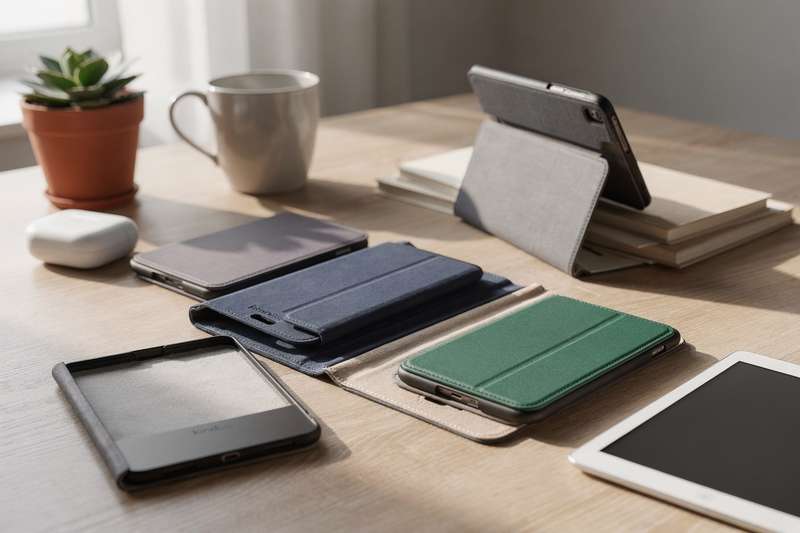
Your eReader cost enough that watching it rattle around unprotected in a bag — alongside keys, coins, and assorted daily rubble — creates a low-level anxiety that follows you around. Maybe you have had a scare already: a corner chip, a hairline scratch across the screen, the device clattering off the arm of the sofa. Or a previous cover let you down — it rattled on the device, clamped so tightly the page-turn buttons required real effort, or added so much bulk it defeated the point of owning a slim reader in the first place.
Searching for a replacement on Amazon makes things worse. Hundreds of near-identical listings, vague compatibility notes buried in bullet points, and product descriptions that read as though they started life in a language other than English. Some covers only work with one specific device generation. Others claim universal compatibility and then leave your reader flopping around inside. This guide identifies six covers worth considering — from a shockproof sleeve backed by over 500 buyer reviews to device-specific options for PocketBook owners and readers with niche compact eReaders.
How These Picks Were Chosen
Six covers were selected using five core criteria: compatibility breadth (does it fit the devices it claims?), protection quality (coverage of screen, corners, and edges), form factor suitability (folio, sleeve, or shell each suits different reading habits), ease of daily use (auto-sleep magnet placement, one-handed opening, hand strap ergonomics), and buyer feedback patterns from verified review pools. Where a product has a meaningful number of reviews, those patterns were used to surface real-world strengths and recurring frustrations. Two picks in this guide have very limited buyer review data — both are flagged clearly in their own sections so you can weigh that honestly rather than discover it after purchasing.
Best Overall Sleeve Protection
For daily bag protection without the complication of device-specific compatibility, the Universa Shockproof Sleeve Case for 6-7 inch Kobo eReader/Paperwhite/Kindle Colorsoft is the most validated option in this guide. Over 530 buyers have reviewed it, settling on a 4.5 out of 5 star average — that review volume is the clearest available signal that this cover does what it says.
The sleeve design is a fundamentally different approach to protection than a folio case. Rather than a hinged cover that stays permanently attached to your reader, a sleeve is a pouch: slide the device in when it goes into your bag, take it out when you sit down to read. That sounds inconvenient until you consider the benefits — no extra weight clamped to the front during reading sessions, no hinge that gradually loosens over months of use, no front panel flopping around while you hold the device one-handed. For anyone who primarily reads sitting down at home and wants the reader guarded during transit, a sleeve makes more practical sense than a folio.
The “shockproof” description here is not purely marketing language. Buyers specifically mention corner and edge protection that goes beyond a thin fabric pouch — there is padding involved that absorbs knocks and drops rather than providing only a cosmetic layer. The 6-7 inch size range covers the Kindle Paperwhite 11th and 12th generation, Kobo Clara HD, Kobo Clara 2E, Kobo Libra Colour, and Kindle Colorsoft, which between them represent a large share of the eReaders currently in daily use across the UK.
The honest tradeoff is what any sleeve format involves: no auto-sleep functionality. Because the cover is not magnetically connected to the device, opening and closing it has no effect on the reader’s power state. You will press the power button to wake and sleep the reader manually. Battery life on eReaders is measured in weeks rather than hours, so this is rarely a critical problem — but it is worth knowing before you buy, particularly if you are used to a folio’s automatic sleep behaviour.
One practical note from buyer feedback: confirm your specific eReader falls within the case’s stated size range. Reviews occasionally mention that devices at the tighter end of the 6-inch bracket feel snug, while those at the larger end of the 7-inch range have slight play. Measure your device and check it against the dimensions on the product page if you are on the edge of the stated range.
Best Budget Universal Cover
The HoYiXi Universal Case for 6-inch Kindle eReader Compatible with Kobo/Voyaga/Pocketbook/Tolino E-book reader sits at the budget end of the market and has built a solid track record, with nearly 340 buyer reviews at a consistent 4.5-star average. For a cover at this price tier, that review pattern is a meaningful signal of reliability.
HoYiXi has established itself as a reliable name in universal eReader cases — not glamorous, not premium, but functional and reasonably well-made for the money. This listing is their most-reviewed product, which suggests buyers are satisfied enough not to return it or leave strongly critical feedback. The compatibility spread is part of the appeal: Kindle, Kobo, Pocketbook, and Tolino all appear in the title, making it a practical choice if you are buying as a gift without knowing the recipient’s exact device model, or if you own more than one eReader and want a consistent cover style across them.
From buyer feedback patterns, the case is described as lightweight and slim — it does not add unnecessary bulk to the reader, which matters more than it sounds for longer sessions. A cover that adds significant weight to the front makes the device front-heavy and uncomfortable to hold for extended periods. The closure mechanism is reported to work reliably and hold its shape after months of use, which is a reasonable indicator of hinge and spine construction for the price tier.
The honest limitations are straightforward. At this price point you are not getting premium materials, a precisely engineered auto-sleep magnet, or anything that looks particularly impressive as a gift. The exterior is functional PU — it will do the job, but it may not age gracefully after two years of daily opening and closing. If aesthetics matter to you or the person you are buying for, a mid-range option elsewhere in this guide might justify the additional cost.
One compatibility note that catches out a few buyers: this is a 6-inch case, not a 6.8-inch or 7-inch case. The Kindle Paperwhite 11th generation (2021) and 12th generation (2024) both measure 6.8-7 inches — they will not sit comfortably in a 6-inch universal case. This cover suits the standard Kindle Basic 11th generation, Kobo Clara HD, Kobo Clara 2E, and similar form factor devices. Double-check your model’s physical dimensions before adding it to your basket.
Best for One-Handed Readers
If you read regularly while standing — on the tube, waiting in a queue, or grabbing minutes during a busy day — the built-in hand strap on the HoYiXi Universal Case For 6 inch eReader with Hand Strap, Compatible with Kindle/Kobo Clara HD/Kobo Clara 2E/Paperwhite/PocketBook/Tolino makes a functional difference that is difficult to appreciate until you have tried it. At 4.6 stars from 123 reviews, it is also the highest-rated reviewed pick in this guide by average score.
The hand strap sits on the back of the case, forming a loop you slide your fingers through. The device then rests against your palm rather than being gripped at the sides, which distributes weight across your whole hand and removes the muscular tension of maintaining a firm grip. This might sound minor until you have stood for forty minutes on a busy Overground train with one hand gripping a rail and the other holding an eReader. At that point, a hand strap shifts from a nice detail to something you wonder how you managed without.
The safety benefit is equally real: a hand strap significantly reduces the risk of the device slipping from your grip. Dropping a paperback costs nothing. Dropping an eReader onto a concrete platform floor is a different calculation entirely.
Compatibility covers Kindle, Kobo Clara HD, Kobo Clara 2E, PocketBook, and Tolino within the 6-inch form factor range. Apply the same size check as with the budget cover above — this is a 6-inch case, so the larger Kindle Paperwhite models measuring 6.8-7 inches will not be a comfortable fit. The folio-style construction gives front-screen protection with the cover closed, and buyers report the spine holds its shape well over several months of daily use.
The one area where a small number of reviewers flag a limitation is hand strap width: readers with larger hands find it slightly narrow. It is worth checking whether the product listing publishes strap dimensions and comparing against your hand size if this is a concern. For most adults the strap appears comfortable, but it is designed for a compact device and is not as wide as the straps found on dedicated tablet covers.
Best Folio Stand Cover
For readers who want to prop their eReader on a desk, kitchen counter, or bedside table without holding it, the HGWALP Universal Folio Leather Stand Cover with Handstrap for 6-inch eReaders covers the broadest functional brief of any case in this guide: folio protection, integrated stand, and hand strap combined in one unit. It is compatible across Kindle Paperwhite, Kobo, Tolino, and PocketBook within the 6-inch form factor range.
Before anything else: this listing has no buyer reviews. That is a significant caveat, and you should factor it in directly. Without verified buyer feedback, it is not possible to confirm how reliably the stand mechanism holds reading angles under daily use, whether the hand strap is robustly attached to the case body, or how accurately any auto-sleep magnet aligns with different devices. The product description suggests all these features work as intended, but description and reality can diverge, and here you are working from the specification alone.
With that caveat stated plainly, the combination of features is a useful one on paper. Folio stands suit hands-free reading scenarios that other case styles do not address: following a recipe while cooking, reading instructional content at a workbench, or using your reader propped on a desk during a long research session. The hand strap on the rear adds one-handed ergonomics for when you pick the device up and take it away from the stand position. Having both in a single case is more practical than switching between two covers depending on context.
HGWALP is not a widely known brand in the eReader accessories market, and without reviews there is limited third-party evidence to assess build quality or longevity. If you are considering this cover, check the product listing’s Q&A section — that sometimes surfaces practical details that formal reviews would otherwise provide. If the absence of buyer feedback concerns you, the HoYiXi hand strap case reviewed above offers comparable strap ergonomics with a meaningful review base behind it.
This pick suits readers who specifically want the stand feature alongside a strap, and who are comfortable being early adopters of a listing that has not yet built a review history. Go in with clear expectations, and use the Q&A section on the listing page to fill any gaps in the product description before committing to a purchase.
Best for PocketBook InkPad Owners
If you own a PocketBook InkPad 4, InkPad Colour 2, or InkPad Colour 3, the PocketBook Cover Shell Origami Black for InkPad 4, InkPad Colour 2, InkPad Colour 3 is the only device-specific official cover in this guide. For PocketBook owners, that specificity matters far more than it does for Kindle users, who have dozens of third-party options to choose from across multiple form factors.
The PocketBook InkPad series sits at the larger end of the eReader market — devices with screens around 7.8 inches, designed for readers who find standard 6-inch eReaders cramped. Finding a cover that fits correctly is harder than it sounds: most third-party universal covers are built around the 6-inch Kindle ecosystem, and a case engineered for that size will not sit accurately on the InkPad’s larger frame. An official PocketBook accessory should deliver precise fit, correct button cutouts, and a charging port opening in the right location — details that are all too easy to get wrong when a manufacturer is reverse-engineering a case from product photos rather than the device itself.
The “Origami” naming points to a folding mechanism that converts the cover into a stand, propping the device upright for hands-free reading. For a larger screen device like the InkPad range, this is particularly practical. At the InkPad’s size, holding the reader for extended periods requires more physical effort than a smaller device would, making desk-propped reading a noticeably more comfortable option for longer sessions.
The honest caveats are worth stating clearly. Only five buyers have reviewed this product, and the average is 3.6 out of 5 stars — lower than any other reviewed pick in this guide. With such a small sample, it is impossible to know whether that reflects a consistent product quality issue or a few outlier experiences. Read the existing reviews in their entirety before purchasing; five reviews can be read in a few minutes and will give you more useful context than the average score alone. The PocketBook-specific accessories market is thin enough that this may be your most viable option regardless — if the existing reviews concern you, check PocketBook’s own website or specialist eReader retailers for alternatives.
For owners of other PocketBook models outside the InkPad 4/Colour 2/Colour 3 range, this cover does not apply. Check PocketBook’s official accessories listings for your specific model, or consider a universal sleeve case and verify its dimensions against your device manually before purchasing.
Best for Compact and Niche eReaders
The MoKo Magnetic Slim Folio Case for XTEINK X3 eReader 2026 is the most specific pick in this guide — designed for a single device, the 3.7-inch XTEINK X3, which sits entirely outside the mainstream Kindle and Kobo ecosystem. If you do not own this device, this section is not relevant to you. If you do own it, purpose-built cover options are close to non-existent in the standard market.
The XTEINK X3 is an ultra-compact eReader — smaller than any mainstream device currently widely available — designed for portability above everything else. At 3.7 inches of screen space, it fits in a jacket pocket where even a standard 6-inch Kindle would cause a visible bulge. That portability is the device’s selling point, but when you step outside the Kindle and Kobo ecosystems, the accessories market tends not to follow. A purpose-built case that matches the X3’s exact dimensions matters: a loose-fitting universal case on a tiny device provides false confidence while doing a poor job of protecting corners and edges, which are the first points of failure in any drop.
MoKo is a well-established name in eReader and tablet accessories, with a long track record of producing cases for Kindle devices in particular. The magnetic folio design closes securely and — where the device supports it — triggers auto-sleep when the cover is opened and closed. At 3.7 inches, the total case-and-device weight should remain minimal, which is consistent with the “Ultra-Lightweight” description in the product title.
The caveat here is significant: one buyer has reviewed this product, and a single 5-star rating is not a statistically meaningful signal in either direction. It tells you the product exists, arrived intact, and impressed at least one person — nothing more. If you need a cover for this device now, this appears to be the primary purpose-built option available in the UK market. If you can delay the purchase for a few months while buyer feedback accumulates, you will be in a more informed position. The listing’s Q&A section sometimes provides practical detail that early reviewers do not cover, and is worth reading carefully before purchasing.
For standard Kindle and Kobo owners, the other five picks in this guide are the relevant options. This section exists specifically for readers who have stepped outside the mainstream eReader ecosystem and find the accessories market has not followed them there.
What to Look for in an eBook Reader Cover
- Confirm device compatibility precisely. “Universal 6-inch” is not the same as “fits all Kindles.” The Kindle Paperwhite 11th and 12th generation models measure 6.8-7 inches — a 6-inch universal case will not fit. Always check your device’s model number against the compatibility list on the product page. Amazon’s device support pages list exact model numbers if you are unsure which generation you own.
- Choose the right form factor for your reading habits. A folio (hinged front cover that stays attached) suits readers who want auto-sleep convenience and continuous screen protection. A sleeve (separate pouch) suits bag protection with no added weight during reading. A shell (back cover only) provides the lightest possible protection. Think honestly about where and how you read before choosing a style.
- Auto-sleep magnet position matters. Not all folio cases have a correctly positioned magnet to trigger auto-wake and sleep on your device. If the magnet is off-centre or absent, closing the cover will not put the reader to sleep — which wastes battery unnecessarily. Look for product descriptions that specifically confirm auto-wake/sleep functionality with your exact device model, not just with the brand generally.
- Check the weight the case adds. eReaders are popular because they are light. A cover that doubles the device weight defeats that advantage. Look for listed case weights in product specifications — for a 6-inch device, aim for cases under 150g where possible. Be cautious of listings that do not publish a weight figure at all.
- Hand strap width and elasticity. If one-handed standing reading matters to you, look beyond whether a strap exists and check its dimensions and material. A narrow strap on a rigid band is less comfortable over time than a wider elasticated one. Buyer Q&As on the product listing are your best source of detail when the product specifications do not include strap dimensions.
- Stand mechanism stability. Cases that fold into a stand vary widely in how well they hold a position under actual use. A stand that collapses when you brush the device, or that can only hold one fixed angle, is more frustrating than no stand at all. Look for buyer feedback that specifically addresses stand stability rather than just confirming the feature exists.
- Material longevity signals. Budget PU covers are functional but can peel or crack at the spine after 18-24 months of daily opening and closing. Higher-grade PU or fabric-covered cases tend to age better. Reviews that mention what the case looked like after six to twelve months are considerably more useful than impressions from buyers who received the item a week prior.
Our Verdict
For most readers picking up this guide, the Universa Shockproof Sleeve Case is the most straightforward recommendation. The review base is the largest of any product here, the 4.5-star average is consistent across a meaningful pool of buyers, and the 6-7 inch size range covers the majority of current Kindle and Kobo models in circulation. If your primary concern is protecting the reader during daily commuting or travel, the sleeve format does that job well without adding anything to the reading experience itself.
If you regularly read while standing and want something permanently attached to the device, the HoYiXi hand strap case is the stronger fit — 4.6 stars from over 120 reviewed buyers makes it the highest-rated reviewed option in this guide, and the strap addresses a real ergonomic need that the other cases here do not.
PocketBook InkPad owners should look at the official PocketBook Cover Shell Origami as their first port of call, despite the modest review count — the alternatives for that device range on UK Amazon are genuinely sparse, and official accessories carry the best guarantee of precise fit. Anyone who has bought into the XTEINK X3 ecosystem should treat the MoKo folio as the current available option and verify fit through the listing’s Q&A section before committing.
We were not paid to feature any specific product in this guide. All opinions are independent and based on publicly available specifications, verified buyer feedback patterns, and category research.
Quick Comparison Table


FAQ
Do eReader covers affect battery life?
A folio case with a correctly positioned auto-sleep magnet can extend battery life meaningfully, because it ensures the device goes to sleep every time you close the cover. Without that magnetic trigger, you rely on pressing the power button manually — and if you forget, accidental screen-on periods drain the battery faster. Battery life on eReaders is measured in weeks rather than hours, so this is rarely a critical problem, but it is a worthwhile factor when choosing between a folio and a sleeve style.
Are universal eReader cases any good?
Universal cases are a practical compromise. They fit a range of devices within a stated size bracket — typically 6-inch or 6-7 inch — which is useful for gift buying or if you own more than one eReader. The tradeoff is that button cutouts may not align precisely with every device, and auto-sleep magnet placement is often imprecise or absent. For basic bag protection, universal cases work well. For features that depend on precise fit, a device-specific case is preferable where one exists for your model.
What is the difference between a folio case and a sleeve for eReaders?
A folio case has a hinged front cover that stays permanently attached to your reader, opening like a book. It protects the screen at all times and usually includes an auto-sleep function triggered by opening and closing the cover. A sleeve is a separate pouch — you slide the device in for bag protection and remove it to read. Sleeves add no weight during reading sessions and have no moving parts to wear out; folios add a small amount of weight but handle auto-sleep automatically and protect the screen continuously.
How do I find out which generation of Kindle I own?
On your Kindle, go to Settings, then Device Options, then Device Info — this displays the exact model number. Amazon’s support website also provides a serial number lookup tool that identifies the generation from the first characters of the serial number printed on the device. Knowing your exact generation matters because Kindle Paperwhite models across different release years have meaningfully different physical dimensions, and a case made for one generation often will not fit another correctly.
Can I use a Kindle case on a Kobo?
Not with a device-specific case — Kindle and Kobo models have different physical dimensions and button layouts, so a case engineered for one will not sit correctly on the other. Universal cases designed for a stated size range, such as 6-inch or 6-7 inch, will often accommodate both brands within that size bracket. Always verify by checking your device’s exact dimensions against the case’s stated internal dimensions before purchasing, rather than relying on size labels alone.
Is it worth paying more for an official brand case rather than a third-party cover?
Official cases offer a guaranteed fit, correct button cutouts, and reliably positioned auto-sleep magnets — designed alongside the device rather than approximated from third-party measurements or product photos. The tradeoff is typically price: official accessories cost more than equivalent third-party options. For mainstream Kindles, third-party covers are numerous and generally reliable. For less common devices such as the PocketBook InkPad range or niche eReaders, official cases are often the safer choice because the third-party selection is thin and fit accuracy is harder to verify without a substantial buyer review base.