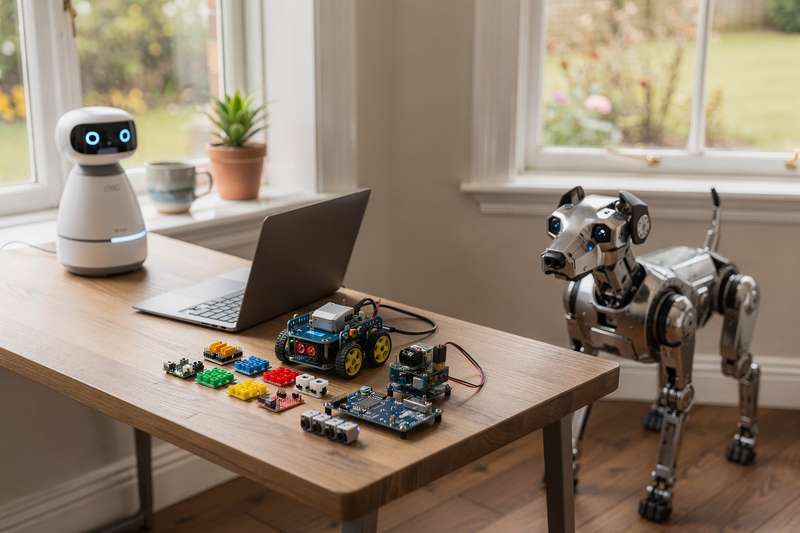
Shopping for a robot in the UK can be genuinely maddening. Type “best robots” into Amazon and you get a jumble of underpowered plastic toys that lose their charm within a fortnight, impressive-looking gadgets that ship only from the US, and marketing copy so breathless it tells you almost nothing useful. Meanwhile, the robots filling tech news feeds — six-figure industrial humanoids moving pallets in warehouses — are not available to individual buyers at any realistic budget.
What most people actually need sits somewhere in between: a robot that does something interesting, holds up past the novelty period, and fits a clear purpose. Maybe you want a desk companion that reacts to you and makes a quiet home office feel less sterile. Maybe you need a STEM kit that gives your child a real introduction to coding through something they can build with their hands. Maybe you’re after a programmable robot dog that holds a child’s attention for months rather than days. This guide covers robots you can order from Amazon UK right now — companion robots, coding kits, robot dogs, and autonomous desk robots — with a straight assessment of what you actually get from each one.
How These Picks Were Evaluated
Every robot in this guide is available on Amazon UK with standard delivery — no enterprise hardware, no US-only imports, no pre-orders with uncertain timelines. Each pick was assessed against five criteria: the quality and variety of interactive behaviours, coding or programming potential, build quality signals drawn from buyer feedback, appropriateness for the intended age or skill level, and whether the product follows through on its headline promise once you open the box. Where buyer reviews exist, I looked at patterns across them to identify consistent praise and consistent complaints, rather than treating a headline rating as the full picture. For products with no UK buyer reviews yet, I’ve said so explicitly and drawn on specifications and the brand’s broader track record instead — a distinction that matters for several picks in this guide.
Best Wearable Companion Robot
The Eiliko – Your Tiny Companion Robot occupies a category that barely existed two years ago: a wearable robot with AI conversation, animated facial expressions, and distinct personality modes, designed to be worn or carried rather than set on a desk. It holds a 4.0/5 rating across 371 verified buyer reviews on Amazon UK — making it the most-reviewed robot in this roundup and therefore the one with the strongest community evidence behind it.
What separates the Eiliko from the other companion robots here is its form factor. This is a small, wearable device — described as a character charm — that you carry with you rather than leaving in a fixed spot. The expressive face is delivered through a compact screen, and the AI conversation feature means it responds dynamically to what you say rather than cycling through pre-set phrases. Different units come with different personality types, which reviewers mention as one of the more surprising aspects: two Eilikos can have noticeably different characters and respond differently to the same interaction.
Buyers who rate it positively highlight the personality variety and the reactivity of the touch responses. The device cycles through emotional states — appearing playful when engaged, quieter when left alone — in ways that feel more varied than you would expect from something this small. Several reviewers describe it as a Tamagotchi with a meaningful technology upgrade: still a companion at heart, but one that responds with considerably more sophistication. The fact that it pairs with other Eiliko units adds another dimension for buyers who want to collect different personality types.
The tradeoff is that a wearable robot companion is a niche concept, and whether Eiliko appeals depends entirely on the person using it. If you expected a physical toy that moves around or a traditional remote-controlled device, the lack of external action will disappoint. The AI conversation has real limits too — it is a personality layer rather than a full-featured AI assistant, and the depth of conversation is bounded by the software behind it. Connectivity matters for the AI features, so the experience varies with your phone and network quality.
For tech-curious teenagers and adults who want something portable and personality-driven — something that breaks from the desk-bound companion model — Eiliko is the most validated choice in this guide. It is also unusual enough as a gift that recipients tend to remember it, without being so niche that nobody knows what to make of it.
Best for Learning Python and AI
The SunFounder Picar-X AI Robot Smart Car Kit is the most technically ambitious robot in this guide, and the one with the strongest claim to lasting educational value. It scores 4.3/5 from 252 buyers on Amazon UK — the highest-rated robot in this roundup by review volume — and that rating reflects consistent commentary on the documentation quality and depth of the learning experience.
This is a smart car-style robot built around Raspberry Pi (compatible with models 5, 4, 3B+, and Zero 2W), designed to teach Python through real projects. The kit covers the basics of mechanical construction through assembly, then layers in progressively more complex programming tasks: movement control, sensor integration, object avoidance, and eventually — through its LLM integration — voice recognition, video recognition, and connections to large language models including ChatGPT, Gemini, and Grok. This is what makes the Picar-X different from most hobbyist coding robots: it genuinely bridges physical robotics with the kind of AI interaction that is becoming relevant across the wider technology landscape.
Who is this actually for? Realistically, it is best suited to teenagers aged 14 and above, or adults with a coding interest who want to build something concrete. This is not a no-code experience. You will be writing Python, working through a Raspberry Pi setup, and following structured tutorials. The good news is that SunFounder’s documentation has earned consistent praise across the review base: buyers note that the step-by-step guides make the learning curve manageable even for those starting from basic Python knowledge. Several reviewers describe using it as a project with children aged 12 to 15, with the hands-on assembly being its own engaging activity before any code is written.
Where it falls short is in immediacy. You cannot hand this to a child and have them using it in ten minutes. Assembly takes time, the Raspberry Pi setup requires troubleshooting patience, and the LLM features need internet access and API configuration. Adults who enjoy working through these kinds of setups will find the process rewarding; buyers who want something plug-and-play will find it frustrating. The coding depth is also the reason the Picar-X has more sustained longevity than the companion robots or toy dogs here — once you complete the starter tutorials, there is always a more complex project to attempt next.
For parents who want a STEM gift with real depth, or adults who want to learn Python and AI through something physical and engaging, the Picar-X is where the most return on investment sits in this guide. The active reviewer community and SunFounder’s documentation infrastructure make it a reliable choice at its tier.
Best Robot Dog for Kids
The Rechargeable Interactive Programmable Robot Dog stands apart from many visually similar products on Amazon UK through the range of control methods it supports: remote control, voice commands, touch sensing, and a programmable mode. That combination matters more than it might initially appear — it means different family members can interact with the robot in whichever way suits them best, and it extends the toy’s longevity well beyond what single-control options offer.
It carries a 4.4/5 rating from 10 buyers — a positive early signal, though the small review sample means you should treat it with appropriate caution. The reviews available note responsive command handling and solid entertainment value for children in the 6 to 10 age range. Parents mention the rechargeable battery as a practical advantage: no ongoing cost of disposable cells and no sudden loss of power mid-play, a small but frequently appreciated detail across robot toy reviews in this broader category.
The programmable element is worth unpacking. This is not Python-level programming — it is the ability to set sequences of movements that the robot then executes, giving younger children a first encounter with the idea that a machine can follow a set of instructions in a defined order. It is a simplified version of the concept, but it is meaningful for the age group and distinguishes this product clearly from pure radio-controlled toys.
The honest limit here is that it is a toy robot dog rather than a companion with sophisticated behaviour. The interactions are reactive and entertaining, but relatively simple once the novelty period has passed. Children who become deeply interested in robots as a concept may want something with greater behavioural variety within a few months. Within its intended use case — interactive play, basic command response, and accessible programmability for younger children — it hits its brief well. The combination of control modes gives it more staying power than single-function dogs at similar price tiers.
Best Desktop Companion Robot
The ENERGIZE LAB Eilik is a compact desktop companion robot built around personality-driven interaction rather than remote control or coding. It responds to touch, expresses animated emotions, plays mini-games, and reacts differently depending on how you engage with it — playful when touched, apparently restless when ignored, and startled when tapped unexpectedly. This listing currently has no buyer reviews on Amazon UK, so the following assessment draws on the product’s specifications and ENERGIZE LAB’s wider reputation rather than verified UK buyer experience.
ENERGIZE LAB is the same brand family behind the Eiliko reviewed earlier, but Eilik is the stationary desk version: it stays in one place on your workspace and brings personality to a fixed location rather than travelling with you. The core appeal is expressiveness. Eilik reacts to being touched, tapped, knocked, or simply left idle in ways that feel more varied than comparable desktop toys at its tier. The reaction range covers surprise, playfulness, frustration, and affection, delivered through its screen and physical movement. Unlike a virtual pet on a phone screen, it occupies physical space and responds to physical interaction — a distinction that affects the quality of presence it provides.
The mini-games feature adds an interactive layer that extends engagement beyond passive observation. ENERGIZE LAB also markets paired Eilik units that react to each other, which creates a more dynamic desktop setup for buyers who want to go further — though a single unit works independently without any need for a second.
What Eilik does not offer is programmability or a voice assistant. You cannot write scripts or teach it new behaviours beyond what ENERGIZE LAB has built in, and it does not connect to external AI services. It is a self-contained companion experience. For someone who wants a lively, animated presence on their desk without any configuration, that is a feature rather than a gap. For someone who wants a project robot, the SunFounder Picar-X is the appropriate alternative.
With no UK buyer reviews available at the time of writing, it is not possible to independently confirm how the real-world experience compares to the specification. Buyers in other markets have reported positively on Eilik’s personality variety and build quality, but approach with that caveat in mind and check for updated reviews before committing.
Best Build-Your-Own STEM Kit
The CONSTRUCT & CREATE Tobbie the Self-Guiding AI Robot is a build-your-own kit aimed at children from 8 years old, where the assembly process is as much the point as the finished robot. Once built, Tobbie navigates independently using sensors — detecting and avoiding obstacles without requiring remote control or a companion app. This listing has no buyer reviews on Amazon UK at present, so the assessment here draws on the product specification and published design intent.
The appeal of Tobbie over a pre-assembled toy is the construction experience itself. Building your own robot is a meaningfully different activity from unboxing a finished product: children work through mechanical assembly, understand how parts contribute to the robot’s movement, and develop a basic intuition for how sensors enable autonomous behaviour. For parents looking for an activity that sustains focus across an afternoon rather than burning through it in fifteen minutes, that process has real educational value.
The self-guiding element is the payoff once the build is complete. Tobbie uses sensors to navigate and avoid obstacles rather than simply moving forward until it hits a wall — a behaviour that is immediately more interesting for children, and one that prompts natural questions about how the sensing works. The age guidance of 8 and over feels accurate: the construction requires care and some fine motor precision, but is not so complex that it demands constant adult assistance throughout.
The gap worth acknowledging is coding. Tobbie has sensor-driven autonomy built in — there is no user-accessible programming layer. It is an excellent introduction to how robots work mechanically, but it will not teach Python or any block-based coding language. If coding education is the primary goal, the SunFounder Picar-X is the appropriate choice. If the goal is a first tangible introduction to robotics concepts through construction and observation, Tobbie is an accessible and well-targeted entry point for its age group.
Given the absence of UK buyer reviews, treat this as a considered choice based on specification rather than a community-verified pick, and check for updated reviews before purchasing.
Best Autonomous Desk Robot
The Anki Vector is the most behaviourally sophisticated autonomous consumer robot available to buy on Amazon UK today — but it comes with important context that any buyer should understand before ordering. This listing currently has no buyer reviews on Amazon UK.
Vector was designed by Anki — a company with strong robotics credentials — to operate without a phone or remote needing to be active. It navigates its surface area independently, recognises faces, responds to its name, answers basic questions through Alexa integration, and expresses personality through movement and sound. The face recognition means it greets familiar people differently from strangers, which contributes to the impression of a robot that is actively aware of its environment rather than simply reactive to input. For a desk robot, this level of autonomy is rare at any price point.
The critical context: Anki ceased operations in 2019. Vector is now maintained by Digital Dream Labs, who acquired the platform and have continued updating its software. Practically, this means you are buying a robot whose ongoing software support depends on a third-party company rather than an active original manufacturer. Units available on Amazon are likely new-old-stock. The hardware design remains impressive, but the software ecosystem carries the uncertainty that comes with any acquired platform from a company that no longer exists.
For tech enthusiasts who understand this context and still want the most autonomously capable desk robot currently available — one that behaves as though it has some awareness of its environment — Vector remains an interesting option. For casual buyers who want something straightforward with clear manufacturer support and an active production line, a robot from a current manufacturer is the more reliable choice.
With no UK buyer reviews on this listing, independent verification of the current purchase and setup experience is limited. Research the current state of Digital Dream Labs’ software and community support carefully before committing.
What to Look For When Buying a Consumer Robot
- Define your use case first. Consumer robots split into distinct types: companion robots (personality-driven, desk or wearable), educational kits (coding and STEM construction), and toy robots (remote-controlled, reactive play). Buying the wrong type for your situation is the most common mistake — a companion robot will not satisfy someone who wants to write code, and a coding kit will overwhelm a child who just wants something fun and reactive.
- Check the coding level carefully. If STEM education is the goal, confirm whether the robot supports a full programming language (Python is the most valuable at secondary-school age and above), a visual block-based system, or no user-accessible coding at all. There is a substantial difference in educational return across these tiers.
- Assess the software ecosystem. Consumer robots are only as useful as the software supporting them. Check whether the manufacturer is actively developing the platform, whether a community of users produces tutorials and resources, and — for older products — whether the original company is still operating and maintaining the software.
- Match the age guidance honestly. Build-your-own kits with mechanical assembly are typically appropriate from age 8. Robots requiring Python programming or Raspberry Pi setup suit age 12 and above, or motivated adults. Desktop and wearable companion robots tend to appeal across a wider range but connect most with teenagers and adults.
- Prioritise rechargeable batteries. Rechargeable robots are consistently more satisfying to own than those dependent on disposable cells — cheaper to run, less likely to run flat at inconvenient moments, and less wasteful over time. Check whether the kit includes a charging cable or dock in the box.
- Look for multiple interaction modes. The robots with the longest sustained engagement support more than one way to interact — voice, touch, remote control, and autonomous behaviour — rather than locking you into a single approach. Variety in input types keeps interest going across different play styles and moods.
- Read review patterns, not just headline ratings. A robot with 250 verified reviews at 4.3 stars tells you far more than one with 5 reviews at 5 stars. Pay attention to what reviewers mention repeatedly: consistent complaints about connectivity, build fragility, or battery life are more informative than isolated negative comments.
Verdict
For most readers who are uncertain which direction to take, the SunFounder Picar-X is the pick with the most sustained value. It is the highest-rated robot in this guide by review volume, it has real coding depth, it scales with the user’s skill level over time, and its Python and AI integration keep it interesting well beyond the initial build. If you are buying for a teenager or adult with a coding interest, or a parent who wants a STEM project with lasting return, the Picar-X is where the most value sits.
If a desk companion rather than a learning project is the goal, the Eiliko makes a strong case. With 371 verified buyers rating it at 4.0 stars, it has the most established review base of any companion robot in this guide. The wearable form factor is unusual without being impractical, and the personality-driven interactions hold up better over time than simple reactive toys. It is the stronger companion choice when having real buyer evidence behind your decision matters.
For younger children in the 6 to 10 age range, the programmable robot dog hits the right balance of accessibility and interactivity. Multiple control modes give it more longevity than single-function alternatives, and the rechargeable battery is a practical advantage. The small review sample is the main uncertainty — check for updated reviews if community validation is important to you before buying.
We were not paid to feature any specific product in this guide. All opinions are independent and based on publicly available specifications, verified buyer feedback patterns, and category research.
Quick Comparison Table


FAQ
What age is a consumer robot suitable for?
It depends entirely on the type of robot. Simple remote-controlled robot dogs suit children from around age 6. Build-your-own STEM kits are typically aimed at age 8 and above, requiring patience and careful instruction-following. Robots that use Python programming or require a Raspberry Pi setup are better suited to age 12 and above, or adults with some technical confidence. Desktop and wearable companion robots with AI interaction tend to appeal most to teenagers and adults.
Do I need coding experience to use a consumer robot?
Not for companion robots or toy robots — these work straight out of the box without any coding knowledge required. For coding-focused robots like the SunFounder Picar-X, some Python familiarity is helpful, though thorough documentation means determined beginners can learn from scratch. Build-your-own kits require no coding but do need patience and careful instruction-following during the assembly process.
What is the difference between Eilik and Eiliko?
Both come from the same brand family but serve different purposes. Eilik is a stationary desktop robot designed to sit on your desk and express personality through its screen and movements. Eiliko is a smaller wearable device designed to be carried as a pendant or charm. Both offer animated expressions and AI-driven interaction, but the core use case differs: desk presence versus portable companion.
Is Anki Vector still supported and worth buying?
Anki, the original manufacturer, ceased operations in 2019. Vector’s platform is now maintained by Digital Dream Labs, who acquired the brand and have continued software updates. The hardware remains impressive for autonomous desk behaviour, but continuity depends on a third party rather than an active original manufacturer. Buyers who understand this and want a highly autonomous desk robot may still find it worthwhile, but it is not the right choice for anyone who wants straightforward, guaranteed manufacturer support.
Are consumer robots worth buying for STEM education?
Physical robots give coding tangible consequences — the code you write moves something in the real world, which tends to motivate learning more effectively than a screen-only environment. For lasting educational value, look for robots that support real programming languages (particularly Python) and have well-structured tutorial resources. Companion and toy robots are engaging in their own right but offer limited educational return compared to dedicated coding kits like the SunFounder Picar-X.
Can a robot dog substitute for a real pet for children who cannot have animals?
Robot dogs satisfy some of the same short-to-medium term needs — they respond to commands, react to touch and interaction, and give children a sense of caring for something. They do not replicate the emotional depth of a real pet, and most children are aware of the difference. They work best as a technology-plus-play toy rather than an emotional substitute, and programmable versions add a learning dimension that makes them worthwhile on their own terms.