You’ve got a shelf of DVDs that haven’t been touched in two years — not because you’ve lost interest in them, but because the old player stopped working and you haven’t replaced it. Or perhaps you’re finally confronting that box of VHS tapes in the loft before the magnetic tape degrades any further, and you need a machine that can play the old cassettes and burn the footage to disc before it’s too late. Maybe you’re the sort of viewer who’d rather record a programme and watch it on your own schedule than rely on streaming catch-up services that pull content after 30 days. Whatever has brought you here, you’ve searched Amazon UK and been confronted with a wall of options: cheap unbranded players, older Panasonic recorders still fetching respectable prices, Toshiba three-in-ones, and Blu-ray hybrids with hard drives. The terminology alone — Freeview+, Freeview Play, HDD recorder, region-free, HDMI upscaling — is enough to send most people straight back to Netflix. This guide cuts through all of that.
How These Picks Were Evaluated
Each product was assessed against criteria that matter specifically to UK buyers: 240V UK mains compatibility, Freeview or Freeview Play integration for TV recording, HDMI output quality alongside legacy AV outputs for older televisions, region-code flexibility for imported discs, HDD recording capacity where applicable, and VCR tape-transfer capability where relevant. Where buyer review data was available, patterns across multiple reviewers were used to identify recurring issues — things like remote reliability, disc-loading behaviour, or EPG problems that don’t show up in manufacturer specs. Products with very few reviews have been flagged clearly so you can weigh that context before buying.
Best Overall Pick
The Panasonic DMR-PWT550EB Blu-Ray Player and HDD Recorder with Freeview Play is the most complete home video solution in this guide, combining a Blu-ray player, hard drive recorder, and a Freeview Play tuner in a single unit. If you want one box that handles disc playback, scheduled TV recording, and on-demand catch-up services, this is where to start.
Freeview Play integration is what sets the DMR-PWT550EB apart from the older HDD recorders in this category. Rather than simply scheduling recordings from an electronic programme guide, Freeview Play draws on-demand content from BBC iPlayer, ITVX, Channel 4, and My5 directly into the guide interface. You can scroll back through the past several days of programming and record or watch what you missed — a meaningful step beyond the older Freeview+ standard, which offered EPG scheduling but no catch-up capability. For households that record regularly and also use on-demand services, this combination removes the need for a separate streaming box alongside your recorder.
As a Blu-ray player, the DMR-PWT550EB handles both Blu-ray discs and standard DVDs, upscaling DVD content over HDMI to a cleaner picture than standard definition delivers without processing on a modern flat-panel screen. For viewers with an established DVD library, that upscaling quality is noticeably better than what budget players produce — Panasonic’s video processing tends to be more refined than the generic chipsets in entry-level boxes. Recordings made to the hard drive can also be copied to a Blu-ray or DVD disc for permanent archiving, giving you genuine long-term storage flexibility.
The honest tradeoffs: this is a premium-tier product, and if you only want to play a handful of DVDs occasionally it’s substantially more than you need. It’s a full-size unit — budget for proper shelf space in an AV cabinet. The network connection required for Freeview Play means you’ll need either a wired Ethernet run or reliable Wi-Fi close to your TV, which isn’t always easy to arrange. With 373 reviews at 4.4 stars on Amazon UK, the real-world track record is strong. This is the pick to invest in if you want a capable setup that won’t feel outdated within a few years.
Best HDD DVD Recorder with Freeview+
The Panasonic DMR-EX83EB-K 250GB HDD DVD Recorder with Freeview+ is the sensible choice if you want dedicated hard-drive-based TV recording and the ability to burn favourite programmes to DVD — without paying for Blu-ray playback or Freeview Play features you might not use.
The 250GB hard drive gives you a substantial recording buffer. Record an entire series over several weeks, watch it at your leisure, then decide what’s worth burning to a DVD-R for long-term keeping. The Freeview+ tuner supports series-link recording — set a programme once and the machine automatically captures every episode, without you scheduling each one individually. That’s standard on current set-top boxes, but it’s implemented cleanly here and the review record suggests it works reliably in practice.
The HDD-to-DVD workflow is sensibly designed. Once a recording is on the hard drive, select it, choose a quality level, and the machine handles disc authoring automatically. DVD-RW discs let you overwrite content later; DVD-R produces a permanent copy playable on virtually any standard player. The entire process stays in the living room without a computer, which matters for buyers who want a genuinely self-contained solution.
Two things to be aware of before buying: the EX83 uses Freeview+ rather than Freeview Play, so there’s no integrated on-demand catch-up. If that matters to you, the Panasonic DMR-PWT550EB above includes it. The EX83 is also an older product, and some buyers report that the Freeview EPG occasionally requires retuning as broadcaster transmission formats have evolved — not a universal issue, but worth knowing. There’s no VCR functionality, so VHS transfers aren’t possible on this unit. Across 251 reviews at 4.3 stars, the EX83 is well regarded for doing exactly what it promises.
Best 3-in-1 Recorder for VHS Preservation
The Toshiba RDXV60 Digital 3 in 1 320GB HDD / DVD and VCR Recorder with Freeview + is built for people who need to bridge the analogue-to-digital divide: it plays VHS tapes, records to a 320GB hard drive, and burns the result to DVD — all within a single unit, without needing a computer or a separate capture card.
The workflow is the RDXV60’s core practical advantage. Load a VHS tape, press record, and the machine captures the footage directly to the hard drive. From there you can trim blank sections from the beginning and end of the recording, then burn the edited result to DVD for permanent archiving. VHS tapes do deteriorate — magnetic tape typically loses picture quality noticeably after 15 to 20 years, and degradation accelerates depending on storage conditions. If you have a box of home recordings from the 1990s or early 2000s, the time to transfer them is now rather than later.
The 320GB hard drive is more generous than the Panasonic EX83’s 250GB, which makes a meaningful difference when capturing long VHS tapes at full quality — a two-hour tape at high quality occupies significant storage. Freeview+ is also included, so you can schedule recordings from live broadcasts as capably as any dedicated HDD recorder. The combination of VCR, hard drive, and DVD in one box reduces cable clutter compared to running a separate VHS player alongside a standalone recorder.
The 4.0-star average across 344 reviews is solid, though slightly lower than the Panasonic units. Some reviewers mention that the VCR mechanism can be temperamental with older or lower-quality cassettes — tapes that are already partially degraded may not play back cleanly enough to produce a usable transfer, which reflects the limitations of ageing magnetic media rather than the machine itself. As with all older recorders in this guide, check the seller’s condition description carefully, since units available on Amazon may be marketplace stock rather than new retail.
Best for Direct VHS-to-DVD Dubbing
The Panasonic DMR-EZ48VEBK DVD Recorder & VCR Combination – With 1080P Up-Conversion & Freeview takes a more direct approach to VHS preservation than the Toshiba above: rather than routing footage through a hard drive as an intermediary, it lets you copy from VHS tape to DVD disc in real time, in a single pass.
For many users, that simplicity is precisely what the task calls for. If your goal is to watch a VHS tape once and produce a permanent DVD copy without managing files on a hard drive, the EZ48VEBK is faster and less involved. You load the tape, insert a blank disc, press copy, and the machine handles the rest. For older family members who aren’t confident with multi-step digital processes — or for anyone who wants to get the job done with minimum friction — this directness has genuine practical value over HDD-based recorders where content passes through two stages before reaching a disc.
The 1080p upscaling over HDMI is worth noting for DVD playback. The EZ48VEBK handles both VHS playback and DVD recording, and the picture quality when playing DVDs via HDMI on a flat-panel TV is a clear step up from SCART or composite output. The built-in Freeview tuner supports scheduled recording from live broadcasts directly onto DVD, though without a hard drive buffer there’s no pause-live-TV capability and no option to adjust quality after recording — what you capture is fixed at the point of recording.
The absence of an HDD is the central tradeoff. Recording quality is set at the moment of capture, and if a VHS tape has dropouts or tracking problems those will appear on your DVD exactly as they are on the tape. The Toshiba RDXV60 gives you more flexibility via its hard drive buffer, at the cost of added steps. With 205 reviews at 4.1 stars on Amazon UK, the EZ48VEBK has a respectable track record for reliability. The most common complaint in reviews is a cluttered remote control — the recording and dubbing functions themselves draw consistent praise.
Best Region-Free DVD Player
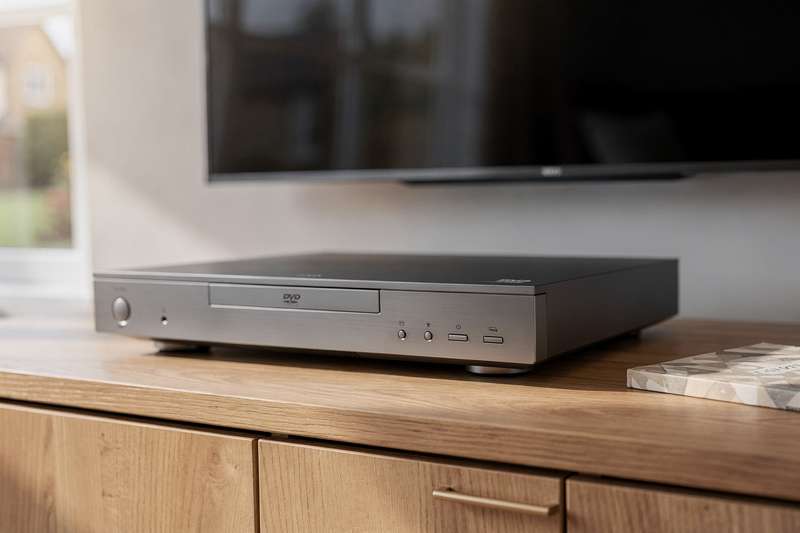
The DVD Players for TV with HDMI, Plays All Regions and Formats is for anyone who doesn’t need recording functionality at all — just a reliable, unfussy player that will handle any DVD you put into it, regardless of where in the world the disc was purchased.
Region coding remains a persistent frustration for disc collectors and enthusiasts. A disc bought in the United States (Region 1) won’t play on a standard UK player locked to Region 2. If you buy films from North America, Japan, or anywhere outside Western Europe — or simply have a collection that spans multiple regions — you need a player designed from the outset to be region-free. This unit plays discs from all regions without modification, removing that problem entirely.
Connection options cover both modern and older screens. HDMI output with 1080p upscaling connects to current flat-panel TVs, while the included RCA cables allow connection to older televisions that lack HDMI inputs — useful for a spare room setup or for a relative with an older set. The USB input accepts video files, music, and JPEG images from a flash drive, so you can play content without burning a disc first. Format support covers DVD, VCD, CD, and JPEG files, which handles the formats most collectors are likely to encounter day to day.
The limit here is clear: this is a player, not a recorder. You cannot schedule recordings, store programmes on a hard drive, or transfer VHS tapes. If those features matter to you, one of the Panasonic or Toshiba units covered earlier is the right choice. For the specific task of playing any DVD on any television without worrying about region locks or connection types, this unit does it cleanly and without fuss. With 4.3 stars from 99 reviews, buyer satisfaction is solid for a product with a straightforward remit.
Best for MiniDV Camcorder Owners
The Daewoo DF4501P DVD Recorder/VCR combi with I-link holds a 4.5-star average on Amazon UK — but that rating comes from only 9 reviews. Treat it as a positive indication rather than a definitive endorsement, and read the full context below before deciding.
The reason to flag the DF4501P despite that caveat is the I-Link (IEEE 1394, also called FireWire) input on the rear panel. If you have footage recorded on a MiniDV camcorder from the early 2000s, I-Link is the correct transfer method for preserving quality. A composite or SCART connection introduces an analogue conversion step that degrades the picture noticeably. With I-Link, the signal stays fully digital from the camcorder through to the disc, meaning your archived DVD is a faithful copy of the original recording rather than a downgraded analogue dub. For people who have a box of MiniDV cassettes from family occasions, holidays, or children’s events recorded a decade or more ago, that quality distinction matters — and it’s a feature that is genuinely difficult to find on any currently listed product in this category on Amazon UK.
Beyond the I-Link input, the DF4501P handles standard VHS-to-DVD dubbing and records from live TV via a built-in tuner. The combination of VCR, DVD recording, and I-Link in a single unit fills a specific gap. Build quality is described positively in the reviews that exist, though nine total reviews provides limited depth from which to draw firm conclusions about long-term reliability.
The caveats are significant. This is a very old product, and finding a unit in good working order requires care. Always check whether the listing is for a new, used, or refurbished item, and confirm the seller’s return policy before committing to a purchase. If you don’t have MiniDV tapes to transfer and simply want a VHS-to-DVD solution, the Panasonic DMR-EZ48VEBK has a far larger review base and better-evidenced reliability. The DF4501P belongs in this guide specifically for its I-Link port — for any other use case, the Panasonic options are the safer choices.
What to Look For When Buying a DVD Player or Recorder
- Freeview vs Freeview Play: Older recorders use Freeview+, which supports EPG-based scheduling and series-link recording from live broadcasts. Freeview Play is the newer standard, integrating on-demand catch-up from BBC iPlayer, ITVX, Channel 4, and My5 directly into the guide. If catch-up content matters alongside live recording, prioritise Freeview Play.
- HDD capacity: A built-in hard drive allows timeshifting, bulk recording, and pre-burn editing. Larger capacities (250GB and above) give more room if you record frequently or plan to capture long VHS tapes at full quality. Without an HDD, you record directly to disc — simpler, but with no editing stage and no quality adjustment after the fact.
- Region coding: UK DVD players default to Region 2. Discs from the US, Japan, and most of Asia require a region-free or multi-region player. Always check the product listing explicitly — not all “region-free” or “all-region” claims mean the same thing, and some units are region-free for playback but locked for recording.
- HDMI and legacy outputs: HDMI is the correct connection for any current television. DVD is a standard-definition format, so upscaling quality varies between manufacturers — more sophisticated processing produces cleaner results on screen. Also confirm whether RCA or SCART outputs are present if you have older televisions in the house that lack HDMI inputs.
- VCR and camcorder connectivity: For VHS transfers, look for a combo unit with a built-in VCR. For MiniDV camcorder footage, check specifically for an I-Link (FireWire/IEEE 1394) input — this keeps the transfer fully digital and preserves quality. Composite and SCART connections introduce an analogue conversion step that degrades the picture.
- Disc format compatibility: Most players handle DVD-R, DVD-RW, DVD+R, DVD+RW, and standard CDs. Recorders need write capability to at least DVD-R and DVD-RW. DVD-RW is more economical for temporary recordings you’ll eventually overwrite; DVD-R is better for permanent archives intended for playback on other players.
- Product age and availability: The standalone HDD/DVD recorder market largely peaked in the early 2010s. Many of the strongest units in this category are older-generation products that may only be available as marketplace, refurbished, or second-hand stock. Check the condition description and the seller’s returns policy carefully — this applies especially to VCR combo and HDD recorder units.
Verdict
For most UK buyers who want a single unit that handles both playback and recording without compromise, the Panasonic DMR-PWT550EB Blu-Ray Player and HDD Recorder with Freeview Play is the strongest all-round choice in this guide. Freeview Play integration means it won’t feel outdated as broadcasters continue shifting content to on-demand delivery. The combination of Blu-ray playback, hard drive recording, and disc burning covers every common use case. Its 373-review track record provides reasonable confidence that real-world reliability holds up in UK homes.
If budget is the priority and Blu-ray playback isn’t needed, the Panasonic DMR-EX83EB-K handles Freeview+ recording and DVD burning reliably at a lower tier. For VHS preservation, the Toshiba RDXV60 gives the most flexible workflow via its three-in-one HDD, DVD, and VCR combination — while the Panasonic DMR-EZ48VEBK is the simpler choice if you want direct tape-to-disc dubbing without an intermediate step. If you only need to play discs without any recording at all, the region-free HDMI player covers that specific need cleanly and without complexity. Match your pick to your actual use case rather than reaching for the most featured option on the list.
We were not paid to feature any specific product in this guide. All opinions are independent and based on publicly available specifications, verified buyer feedback patterns, and category research.
Quick Comparison Table


FAQ
Can I record Netflix or other streaming services onto a DVD recorder?
No. All major streaming platforms use digital rights management that prevents recording devices from capturing their content. DVD recorders record from Freeview broadcast TV or connected analogue sources such as VHS players and camcorders — they cannot capture anything playing through Netflix, Disney+, or similar services.
Will a UK DVD player play discs bought in the United States?
Not by default. US discs are Region 1; UK players are typically locked to Region 2. To play discs from both regions, you need a region-free or multi-region player. Check the product listing explicitly before buying, as not all region-related claims are equivalent in practice.
Do I need a satellite dish to use a DVD recorder with Freeview?
No. DVD recorders with Freeview or Freeview Play use a standard rooftop aerial — the same one your television uses. You don’t need a satellite dish. If you only have one aerial socket near the TV, use a splitter to feed both the TV and the recorder simultaneously from the same aerial signal.
Is it worth buying an older HDD DVD recorder when new ones are hard to find?
It depends on your use case. Older Panasonic and Toshiba HDD recorders remain capable of recording from Freeview and burning to DVD. The main risks are occasional Freeview EPG reliability issues on ageing hardware and uncertainty around the condition of second-hand units. Always check the seller’s returns policy and whether the listing describes the unit as new, used, or refurbished before buying.
What is the difference between DVD-R and DVD-RW discs?
DVD-R discs are write-once — you record to them and the content is permanent, playable on almost any standard DVD player. DVD-RW discs can be erased and re-recorded multiple times, making them better suited for temporary recordings you don’t need to keep long-term. Most DVD recorders in this guide support both formats.
Can I connect a DVD player to a 4K television?
Yes, without any compatibility issues. DVD players connect to 4K TVs via HDMI and function normally. The output will be upscaled from standard definition — typically to 1080p — rather than to native 4K, since DVD is a standard-definition format. The picture quality is noticeably better over HDMI than over an older SCART or composite connection.