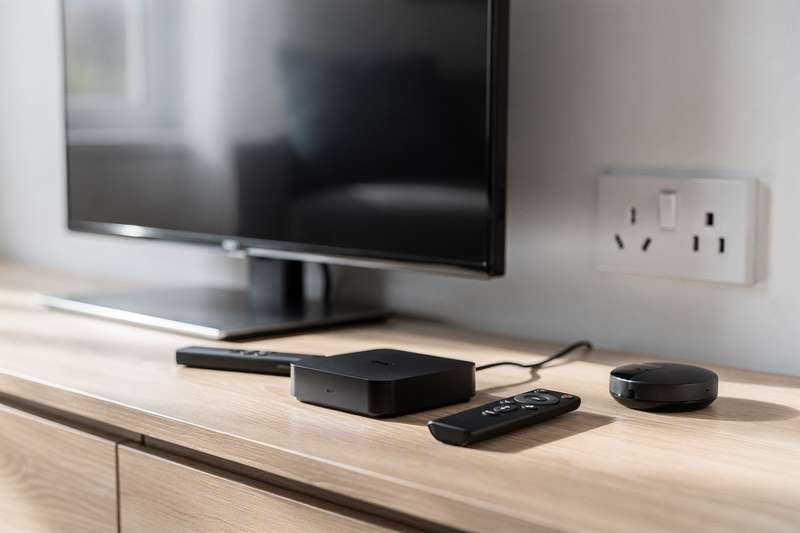
Picture this: you’ve settled in for an evening on the sofa, picked something to watch, and then spent the next ten minutes waiting for your smart TV’s sluggish built-in interface to load the right app — only for it to freeze halfway through the opening credits. You’ve tried restarting the TV, clearing the cache, and accepting that the remote control is somehow already broken despite being barely a year old. You’ve probably even bought a cheap HDMI dongle at some point, only to find it ran out of support updates within six months.
You’re not alone. Smart TV software has improved in recent years, but the chipsets powering most mid-range televisions simply weren’t built for the demands of today’s streaming apps, 4K HDR content, or the kind of smooth, snappy interface that genuinely feels enjoyable to use. A dedicated streaming box is the answer — a small device that plugs into your TV’s HDMI port and completely replaces the built-in software with something faster, better supported, and often far more capable.
The challenge is picking the right one. The UK market offers everything from budget Android boxes under £30 to premium powerhouses that rival a games console in specification. This guide cuts through the noise and recommends the best options actually available on Amazon UK right now — with real buyer feedback to back them up.
How We Evaluated These Picks
Every product in this guide is available on Amazon UK and carries verified buyer reviews from real UK purchasers. Picks were assessed across five key criteria: streaming performance (4K, HDR, and Dolby Vision support), software quality and long-term update commitment, connectivity (Wi-Fi standard, Ethernet availability, Bluetooth), remote control usability, and overall value relative to the asking tier. Products with fewer than six UK reviews or a rating below 3.5 stars were excluded regardless of their specification sheet, because real-world experience consistently diverges from marketing claims in this category. Zero-review listings, however impressive on paper, were not selected as picks — you deserve more than a manufacturer’s word before spending your money.
Best Budget Pick: X96 Mini Android TV Box
If you want a no-fuss streaming upgrade without spending much, the X96 Mini 2021 Android TV Box is the most widely reviewed option in this guide, with over 530 UK buyer ratings averaging 4.1 out of 5 stars. That volume of feedback is reassuring in a category where cheap no-name boxes often disappear from Amazon the moment problems emerge. This is a box that has genuinely been used, tested, and returned opinions on — and the majority of those opinions are positive.
The X96 Mini runs Android 10, is powered by an Allwinner H313 Quad Core processor, and comes with 2GB of RAM and 16GB of storage. It supports 4K and 3D output via HDMI, which is impressive for a budget device, though you should understand the limitations here: this is not a Dolby Vision or Dolby Atmos box, and 4K output at this price point relies on the source material rather than any serious upscaling engine. For standard HD and 4K streaming from apps like Netflix, YouTube, or Prime Video (downloaded via the APK route, since this is not a certified Google TV device), performance is entirely serviceable.
The real-world tradeoff is that this is a standard Android TV box rather than a Google TV-certified device. That means the home screen experience is less curated than what you’d find on a proper Google TV or Amazon Fire device — you’re essentially working with a fairly bare-bones Android launcher. Power users who enjoy customising their setup, installing third-party apps, and using it as a general Android media player will actually prefer this flexibility. Casual users who want something that works out of the box with a polished interface may find it slightly rough around the edges.
It’s also worth noting that 2GB of RAM means this box can feel laggy when switching between memory-hungry apps. If you’re running Netflix, then jumping to YouTube, then back, give it a moment. Connectivity is Wi-Fi only — there’s no Ethernet port — so a strong wireless signal in your living room is important. That said, for the price tier it occupies, the X96 Mini is a genuine performer, and the breadth of verified buyer satisfaction makes it the easiest recommendation for anyone dipping their toes into standalone streaming boxes for the first time.
Best Mid-Range Google TV Pick: XstreamTec Dcolor GD2
The XstreamTec Dcolor GD2 Android Google TV Certified 4K Streamer sits firmly in the mid-range bracket and brings something the X96 Mini can’t: full Google TV certification, a built-in Chromecast receiver, and proper voice assistant integration. With 116 UK ratings at 4.5 stars, it’s well-regarded by buyers who made the step up from either a basic Android box or a sluggish smart TV interface.
Google TV certification matters more than it might seem. It means the Dcolor GD2’s interface is the same curated, recommendation-driven experience you’d find on a Chromecast with Google TV or a Sony Bravia television — your subscriptions across Netflix, Disney+, Prime Video, and others are aggregated into a single watch list, and the home screen learns your habits over time. Voice search through the included remote actually works across services, not just within a single app. For households with multiple streaming subscriptions who are tired of opening each app individually to remember where they left off, this is a meaningful quality-of-life upgrade.
The Dcolor GD2 also supports 4K HDR and features a Chromecast Built-In, so you can cast directly from your phone or laptop to the TV without switching inputs or launching an app. Smart home control is supported through the Google Assistant-enabled remote, making it useful if you have Google Nest speakers, smart lights, or a broader Google ecosystem at home. The remote itself is a highlight — it’s comfortable, responsive, and logically laid out with dedicated streaming app buttons.
Where does it fall short? It’s not a powerhouse. Buyers who want the absolute smoothest 4K playback, the most advanced audio formats, or a box that will remain relevant for a decade should look higher up. But for households who primarily watch Netflix, YouTube, and a few other streaming services and want a clean, modern interface without the complexity of a full Android box, the Dcolor GD2 hits a very comfortable sweet spot. It’s the sort of box you set up once, hand the remote to someone who has never used a streaming device before, and watch them figure it out within minutes.
Best for Power Users and IPTV: Formuler Z12 Ultra
The Formuler Z12 Ultra 4K Streaming Media Player is a different kind of device entirely. It’s not aimed at casual streamers who want to watch Netflix more comfortably — it’s built for enthusiasts who demand the highest possible performance, the widest format support, and flexibility that most consumer devices simply can’t match. At 166 UK reviews averaging 4.5 stars, it has earned its reputation among buyers who knew exactly what they were buying and found it delivered.
The specification sheet explains the premium positioning: Android 12, 4GB of RAM, 128GB of internal storage, Dolby Vision and Dolby Atmos certification, HDR10+, Gigabit LAN, and Wi-Fi 6E. That last pair — Gigabit LAN and Wi-Fi 6E — is genuinely significant if you’re streaming high-bitrate content from a NAS drive, an IPTV service with demanding streams, or a Plex server. Most budget and mid-range boxes top out at 100Mbps Ethernet and Wi-Fi 5; the Z12 Ultra removes connectivity as a potential bottleneck entirely.
Formuler has a strong reputation in the IPTV community specifically. The company’s IPTV middleware support and dedicated IPTV player (MyTVOnline) is among the most polished available on Android-based hardware, and buyers consistently note that the Z12 Ultra handles playlist management, EPG loading, and live TV channel switching more smoothly than competing boxes. If you’re an IPTV subscriber or you run a Plex/Jellyfin media server with a substantial local library, this device will keep up with almost anything you throw at it.
The honest caveat is that the Formuler Z12 Ultra is overkill for the majority of UK households. If you primarily watch Netflix, Prime Video, and the occasional YouTube video, you are paying for capabilities you won’t use. The larger storage and RAM only matter if you’re actually installing and running a significant number of apps simultaneously, and Gigabit LAN only helps if your home network and source material can actually saturate it. For the specific audience it serves, though — home theatre enthusiasts, IPTV power users, and anyone with a sizeable local media library — it’s the strongest all-round option in this guide.
Best for Flexibility and General Android Use: 2026 Upgraded Android TV Box
The 2026 Upgraded Android TV Box with 4GB RAM and 32GB ROM is the newest entry in this guide and carries seven UK ratings at 4.4 stars — fewer reviews than the other picks, but a high enough average to merit inclusion. Bear in mind that, as a newer listing, the review pool is still growing; treat this one as a promising newer option rather than a long-established community favourite.
On specification, it offers a meaningful step up from the X96 Mini without reaching the premium territory of the Formuler Z12 Ultra. You get 4GB of RAM (noticeably smoother than 2GB for multitasking), 32GB of storage, dual-band Wi-Fi 6 (a genuine upgrade over Wi-Fi 5 in terms of stability and throughput on congested home networks), and Bluetooth 5.0. The HDMI 2.0 output supports 4K Ultra HD and H.265 decoding, which covers the vast majority of modern streaming formats efficiently.
Wi-Fi 6 support is worth calling out specifically. In homes with many connected devices — smart bulbs, phones, tablets, a games console or two — Wi-Fi 5 routers and devices often struggle with congestion, leading to buffering and dropped streams. Wi-Fi 6 handles that congestion significantly better, and this box pairs well with any modern router that supports the standard. If your household has upgraded its router in the last three or four years, you’ll likely notice the benefit.
The tradeoff with any newer, lower-review-count listing is uncertainty. Seven reviewers are a small sample, and while the early feedback is positive, it doesn’t have the battle-tested track record of the X96 Mini’s 530+ reviews. You’re buying a newer product with strong specs and limited long-term feedback. For buyers who want a flexible general-purpose Android media box with modern connectivity and are comfortable being an early adopter, this is a solid choice. For buyers who want absolute certainty based on community experience, the other picks in this guide offer more reassurance.
What to Look For in a Media Streaming Device
- Google TV certification vs standard Android: Google TV-certified devices (like the Dcolor GD2) offer a curated, subscription-aggregating interface that’s noticeably more polished than standard Android launchers. Standard Android boxes give you more flexibility and sideloading freedom but require more setup effort. Decide which matters more to your household before buying.
- HDR format support: Look for Dolby Vision and HDR10+ support if your television supports either format. Dolby Vision in particular produces noticeably better image quality on compatible TVs compared to basic HDR10. Budget boxes often support HDR10 but skip Dolby Vision — check the spec sheet carefully.
- RAM and storage: 2GB of RAM is the minimum viable for modern streaming apps, but 4GB is noticeably smoother for multitasking. Storage matters if you want to install many apps or download content for offline viewing — 16GB fills quickly, whereas 32GB or 128GB gives you meaningful headroom.
- Connectivity — Ethernet and Wi-Fi standard: If your router is within cable reach of your TV, wired Ethernet is always preferable to Wi-Fi for reliability. For wireless setups, Wi-Fi 6 offers better performance on congested home networks than Wi-Fi 5. Wi-Fi 6E adds the 6GHz band for even less interference, useful in flats and dense residential areas.
- Audio format support: Dolby Atmos and DTS:X pass-through matter if your TV is connected to a soundbar or AV receiver that supports these formats. If you’re using TV speakers only, this is less of a priority. Confirm the box can pass audio bitstreams through to your audio equipment rather than just decoding them internally.
- Software update commitment: This is the hardest factor to verify before purchase, but it’s one of the most important. Established brands with a track record of ongoing firmware updates (and active communities) are safer long-term bets than no-name boxes that may go unsupported within 12 months. Reviews mentioning recent update activity are a good signal.
- Remote control quality: A good remote makes daily use genuinely pleasant; a bad one is a constant frustration. Look for voice search capability, logical button layout, and ideally some customisable shortcut buttons for your most-used apps. Backlit buttons are a bonus for use in dark rooms.
Verdict
For most UK households, the XstreamTec Dcolor GD2 is the most balanced choice. Its Google TV certification means the out-of-box experience is genuinely polished and accessible, the Chromecast Built-In is surprisingly useful in daily use, and the 4.5-star rating from over 100 UK buyers confirms it performs as advertised. It’s the pick that works well for someone upgrading from a frustrating smart TV interface and wants something that just works — no tinkering required.
If your budget is tight, the X96 Mini remains the most battle-tested budget option with the largest UK review pool in this guide. And if you’re a genuine home theatre enthusiast, IPTV subscriber, or local media server user, the Formuler Z12 Ultra is worth every penny of its premium — it’s simply a more capable machine for demanding use cases, and the 166-strong review base backs that up.
We were not paid to feature any specific product in this guide. All opinions are independent and based on publicly available specifications, verified buyer feedback patterns, and category research.
Quick Comparison Table


FAQ
Do I need a streaming device if my TV is already a smart TV?
Not necessarily, but many people find dedicated streaming boxes significantly faster and better supported than their TV’s built-in software. Smart TV operating systems often receive fewer updates than dedicated streaming devices, and the underlying hardware can feel sluggish compared to a purpose-built box. If your smart TV feels slow or apps crash regularly, a streaming device is a practical fix.
What’s the difference between a Google TV-certified box and a standard Android TV box?
Google TV is a curated interface built on top of Android TV that aggregates your watchlists and recommendations across multiple streaming services into a single home screen. Standard Android TV boxes run a more basic launcher and require you to manage each app independently. Google TV certification also guarantees the box has passed Google’s compatibility requirements, which tends to mean more reliable app performance and regular security updates.
Can I use a streaming box with any television?
Yes, as long as your TV has an HDMI input — which virtually all televisions made in the last fifteen years do. The box plugs into the HDMI port and you switch to that input. Some features like Dolby Vision or Dolby Atmos pass-through require your TV (or connected audio equipment) to support those formats, but basic 4K streaming will work with any 4K-capable display.
Is an Ethernet connection really necessary, or is Wi-Fi good enough?
For most households streaming HD or 4K content from services like Netflix or Disney+, a stable Wi-Fi 5 or Wi-Fi 6 connection is perfectly adequate. Wired Ethernet becomes more relevant if you’re streaming very high-bitrate content from a local server, using IPTV services with demanding streams, or if your Wi-Fi signal in the living room is inconsistent. If you can run a cable, it’s always the more reliable option — but modern Wi-Fi is genuinely good enough for the majority of use cases.
Will a streaming box work with my soundbar or AV receiver?
In most cases, yes. The box connects to your TV via HDMI, and your soundbar or AV receiver connects to the TV as usual — either via HDMI ARC/eARC or optical. For Dolby Atmos or DTS:X to pass through correctly to your receiver, confirm both the streaming box and your receiver support the format, and that your TV’s HDMI ARC port supports eARC if you want uncompressed audio. Most modern mid-range and premium streaming boxes handle this without issue.
How long do streaming devices typically last before they need replacing?
A good streaming box from an established brand should remain usable for three to five years, provided the manufacturer continues releasing software updates. The practical lifespan is often determined by how long the device receives app updates rather than any hardware failure — once major streaming apps stop supporting an older Android version, the device effectively becomes obsolete. Choosing a box from a brand with a clear track record of ongoing support is the best way to extend its useful life.