You’ve got a stack of flashcards, a set of classroom labels, or a batch of restaurant menus that need protecting — and you’re standing in front of a laminator that either jams every third sheet, takes fifteen minutes to warm up, or produces bubbles that make the finished result look worse than the original. If you’ve borrowed the shared machine at work and spent half your lunch break feeding pouches in at slightly the wrong angle, or if you bought a cheap laminator online only to find it leaves a wrinkled edge on anything thicker than copy paper, you know exactly how frustrating this category can be. A laminator should be one of those quietly useful appliances that sits on your desk and does its job without fuss. Instead, too many people end up fighting with them.
The good news is that the current crop of laminators — particularly at the A3 end of the market — has genuinely improved. Better roller mechanisms, shorter warm-up times, and bundled accessories have made even budget machines more capable than they were a few years ago. This guide cuts through the noise and tells you exactly which machine suits which situation, so you can stop guessing and start laminating.
How We Evaluated These Picks
To put together this guide, we focused on a practical set of criteria that matter in real use rather than spec-sheet theatre. Warm-up time is a genuine daily annoyance — a machine that takes six minutes to heat up feels painful when you just need to run a handful of sheets. We looked at jam resistance and roller quality, since a jammed laminator with your irreplaceable original inside is a disaster. Maximum document width matters enormously once you move beyond A4 — being able to do A3 posters and menus opens up a different range of tasks entirely. We also weighed bundled accessories (pouches, trimmers, corner rounders) because the real cost of a laminator includes consumables. Finally, we cross-referenced buyer review patterns on Amazon UK, prioritising products with meaningful review counts where available, and noted where a product has limited feedback so you can factor that into your decision.
Best Overall: BONSEN A3 Laminator Machine
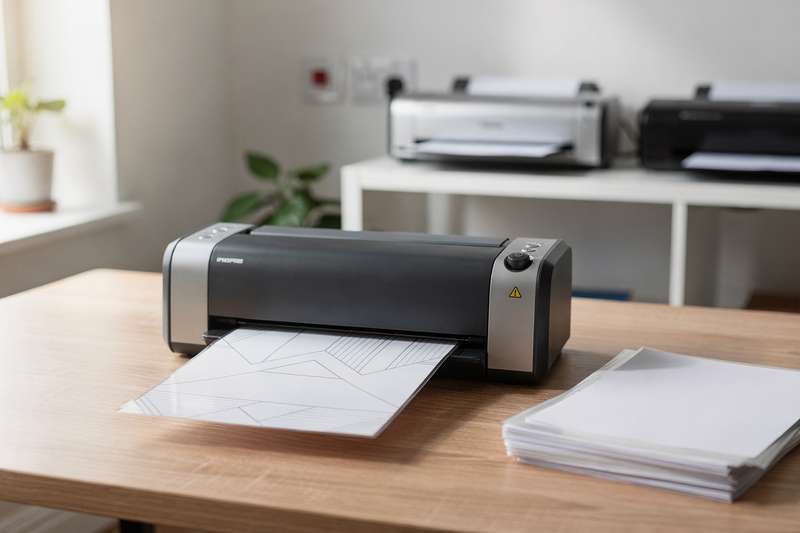
The BONSEN A3 Laminator Machine with 100 Laminating Pouches sits at the top of this list for a straightforward reason: it backs its claims with the largest real-world review count in this group. With 867 ratings averaging 4.6 out of 5 stars, you’re not relying on a handful of early adopters — there’s a genuine pattern of satisfied buyers here, and that carries real weight when choosing a machine you’ll depend on regularly.
The standout feature is the Never Jam Technology, which uses a specifically designed entry channel to guide pouches in straight even when you’re in a hurry. Buyers consistently mention this as the detail that separates it from cheaper machines: it’s genuinely forgiving of the slightly-off-angle feed that causes other laminators to crumple a pouch halfway through and require you to open the machine and fish it out. The A3 capability means you can handle A4 documents, A5 cards, and full A3 sheets — posters, menus, large classroom charts — all with the same machine, which makes it the logical choice if your laminating needs aren’t always predictable.
The 125 micron laminate thickness gives finished items real rigidity and a professional feel. This isn’t thin, floppy laminate that bends easily — it’s the kind that protects items in high-traffic environments like classroom walls or restaurant tables. The included 100 pouches is a genuinely useful starter pack; most laminators include ten or twenty at best, so having a hundred means you can get into a proper workflow before you need to reorder.
Where does it fall short? It’s physically larger than a pure A4 machine, so it takes up more desk or shelf space. If you only ever laminate A4 or smaller and space is tight, the extra footprint isn’t paying its way. Some buyers also note that like most thermal laminators, you should let it fully warm up before feeding the first pouch — rushing that step can produce slightly uneven results. Treat it like a proper tool rather than a quick-press appliance and it performs consistently well.
This is the pick for teachers, home office users who laminate regularly, small business owners producing menus or signage, and anyone who wants one machine that handles everything from A6 labels to full A3 sheets without drama.
Best Budget Pick: Crenova A4 Laminator Machine
If you need a laminator for occasional home use — protecting recipes, kids’ artwork, or the odd document — the Crenova A4 Laminator Machine, Hot & Cold Thermal Laminator is worth a serious look at the budget end of the market. The Crenova brand has built a reasonable reputation in this category, and the ABS anti-jam mechanism and 90-second warm-up time are the two features that make the most practical difference at this price point.
The hot and cold lamination modes are a more useful combination than they might first appear. Hot mode works for the vast majority of standard documents and photos. Cold mode — which uses pressure rather than heat — is what you want for heat-sensitive items: stickers, photographs printed on specialist paper, or anything where you’re worried that heat might cause ink to bleed or materials to warp. Having both modes in a compact A4 machine at this price tier is genuinely good value.
The bubble and wrinkle-free claim is one that sceptics often raise, and it’s fair to say that results depend on technique. You do need to feed pouches in straight and ensure you’ve preloaded the document properly inside the pouch before feeding — but when you do, the results are clean and professional-looking. The machine includes ten laminating pouches to get you started, which is enough to work out your technique before buying a larger pack.
The practical limitation here is width: this is an A4 machine, so it maxes out at A4 documents. If you ever need to laminate an A3 poster or a large sign, you’ll need a different machine. It’s also worth noting that this listing currently has no review count visible on Amazon UK, which means you can’t lean on a large sample of buyer experience the way you can with the BONSEN above. The machine’s specifications and Crenova’s track record in the category give some confidence, but factor in that relative uncertainty if you’re cautious about newer listings.
For occasional home laminating — protecting craft projects, preserving documents, doing small educational materials — this is a practical, compact option that won’t take up much counter space and gets to working temperature faster than many rivals.
Best for A3 Versatility on a Budget: Crenova A3 Laminator
The Crenova A3 Laminator, Laminator Machine 3-6mil 60s Quick Warm Up Auto-Off is the standout performer in terms of sheer rating within this guide’s reviewed products: 4.8 out of 5 stars from 110 buyers is a remarkably high score for a laminator, a category where small frustrations tend to show up quickly in reviews.
The sixty-second warm-up is a genuine differentiator. If you’re laminating in short bursts throughout the day — running a sheet here, a sheet there — a machine that heats up in a minute rather than five makes a real behavioural difference. You’ll actually use it for the small jobs rather than deciding it’s not worth the wait. Paired with the auto-off function, which powers the machine down after it’s been idle for a set period, it’s also safer to leave on a desk in a classroom or home office without worrying about it.
The 6-in-1 design covers laminating in both hot and cold modes, works across A3, A4, A5, and A6 sheet sizes, and handles pouch thicknesses from 3 to 6 mil. The jam-free mechanism uses an ABS casing and roller design that guides pouches through without catching — buyers specifically mention that it handles photo lamination reliably, which is often where cheaper machines leave visible lines or pressure marks on glossy surfaces.
At this price tier with A3 capability, the tradeoff is build quality compared to a dedicated office laminator. The plastic casing feels lighter than a heavier professional machine, and if you’re running very high volumes — dozens of sheets per session — you’d want something more robust. But for school use, home craft projects, or small business applications where you’re doing reasonable but not industrial quantities, the Crenova A3 strikes an excellent balance. It’s worth noting that 110 reviews is a reasonable sample size, and the 4.8 score suggests the positive experience is consistent rather than the result of a few enthusiastic early purchasers.
This is a strong pick for teachers who need both A4 and A3 capability without paying a significant premium, and for home users who’ve outgrown a basic A4 machine and want the flexibility of larger format laminating without a major investment.
Best Multi-Function A4 Machine: A4 Laminator Machine 11 in 1
The A4 Laminator Machine, 11 in 1 Thermal Laminator with 36 Laminating Pouches, Cold Hot Lamination Machine 3 Cutter Heads & Built-in Trimmer takes a different approach to the problem of post-lamination finishing. Rather than leaving you to fumble with scissors or a separate trimmer, this machine integrates three different cutter heads and a built-in trimmer so you can cut your laminated items to size immediately after they come through the roller.
With 655 ratings at 4.5 stars, there’s a solid base of real buyer experience behind this one. Users consistently highlight the trimmer integration as a genuine time-saver — particularly for anyone producing batches of cards, name tags, bookmark-style items, or educational materials where a clean straight cut after laminating is part of the job. Having three cutter head options (typically straight, wave, and perforated patterns) means you can add a professional finish to items without needing separate tools.
The 36-pouch inclusion is decent for an A4 machine, and the cold lamination option extends the machine’s usefulness to heat-sensitive materials. Hot lamination handles the majority of everyday documents and photos effectively, with the 11-in-1 designation covering the various combinations of sheet size, mode, and cutting function the machine supports.
The limitation is format: this stays firmly in A4 territory, so it’s not the right choice if you need A3 capability. The built-in trimmer, while useful, also means the machine is physically wider than a basic A4 laminator, so check your available desk space before ordering. Some buyers note that the trimmer is best used for smaller laminated items — for large A4 sheets, a separate guillotine trimmer gives more control — but for cards, labels, and mid-sized documents, the integrated approach works well.
If you’re producing finished laminated items regularly and want to streamline the process rather than reaching for scissors each time, this is the most practical all-in-one solution in the A4 category in this guide.
Best for A3 with Starter Pack: A3 Laminator Machine with 30 Laminating Sheets
The A3 Laminator Machine with 30 Laminating Sheets, Fast Warm-Up No Jam Laminator is aimed squarely at the buyer who needs A3 capability and wants to be up and running immediately without a separate pouch purchase. The 30-sheet inclusion at A3 size is a practical starter pack — A3 pouches are bulkier than A4 ones, so having a reasonable supply ready to go avoids the frustration of receiving a machine and then waiting for consumables to arrive.
The 4.3-star rating from 88 reviewers puts it slightly below some rivals in this guide, but 88 reviews is still a meaningful sample, and 4.3 is a solid score rather than a warning sign. The lower rating relative to the Crenova A3 above likely reflects the fact that it’s a newer listing with a more varied range of early buyer experiences — par for the course with laminators, where technique and the quality of pouches used both affect results.
The cold and thermal modes cover the standard use cases well: thermal for everyday documents and photo-quality prints, cold for anything heat-sensitive. The 11 x 17 inch (roughly A3) maximum width means it handles full A3 sheets, large classroom displays, menus, and posters. The fast warm-up and no-jam design follow the same general principles as competing machines — guided entry channels to reduce the risk of feeding a pouch in at an angle that causes it to crumple inside the rollers.
Where this machine makes sense is as a straightforward A3 option for home, school, or office use where you want good format coverage and a decent starter supply of pouches without the higher cost of a premium machine. It’s not the top-rated A3 option in this guide — the Crenova A3 edges it on raw rating — but it’s a legitimate choice if it’s available at a better price point at the time you’re shopping, or if the 30 A3 pouches included make it a more convenient package for your immediate needs.
Best 3-in-1 Combo for Occasional Use: Amazon Basics 3-in-1 A4 Thermal Laminator
The Amazon Basics 3 in-1 A4 Thermal Laminator with Trimming, Punching, Corner Rounding Functions is the option to consider if you want tidy laminated results out of the box without accumulating separate desk accessories. The trimming, punching, and corner-rounding functions handle the three most common post-lamination tasks: cutting to size, adding a hole for a lanyard or ring binder, and rounding the corners so they don’t catch or peel.
This is an Amazon Basics product, which in the laminator category means reliable basic performance at a sensible price. The 10-pouch inclusion is modest — you’ll need to order more relatively quickly if you use it regularly — but the machine’s overall design is clean and practical. The 3-in-1 designation is genuinely useful rather than marketing-speak: corner rounding in particular is something that makes laminated cards look and feel significantly more professional, and it’s a function that most standalone budget laminators simply don’t include.
The honest caveat here is that this listing currently shows zero reviews on Amazon UK, which means there’s no buyer experience track record to cross-reference. Amazon Basics as a brand has produced competent laminators in other markets, and the feature set described is standard and achievable at this form factor — but if you’re risk-averse and want the reassurance of verified buyer patterns before purchasing, the BONSEN or the Crenova A3 above have the review volume to give you that confidence. For buyers who are comfortable with an Amazon Basics product and value the corner-rounding and punching functions specifically, this is a practical choice for occasional A4 laminating.
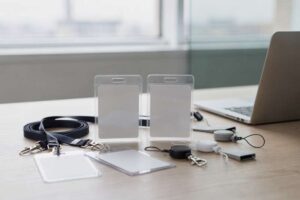
It suits home office users, craft makers, and anyone producing laminated ID cards, lanyards, or ring-bound reference materials who wants to avoid separate tools cluttering the desk.
What to Look For When Buying a Laminator
- Maximum document width: This is the most important spec after price. An A4 machine (typically up to around 230mm wide) handles standard documents and photos. An A3 machine opens up posters, menus, classroom charts, and large artwork. If you’re unsure, go A3 — you can always laminate smaller items in a larger machine, but you can’t do the reverse.
- Warm-up time: Ranges from under a minute to over five minutes depending on the machine. If you’re laminating in short bursts throughout the day, a fast warm-up makes a real difference to whether you actually use the machine for small jobs. If you do large batches less frequently, warm-up time matters less.
- Pouch thickness compatibility: Most home and office laminators handle 3 mil and 5 mil pouches (the numbers refer to micron thickness per side). Thicker pouches (6 mil and above) produce more rigid, durable results but require a machine that explicitly supports them. Check the spec before buying thicker pouches, since forcing them through an incompatible machine can damage the rollers.
- Hot and cold modes: Hot lamination is standard and works for the vast majority of documents and photos. Cold lamination uses pressure rather than heat and is essential for heat-sensitive items — some printed photos, sticker materials, and inkjet prints on specialist media. If you work with a variety of materials, having both modes gives you more flexibility.
- Jam resistance: This is harder to assess from a spec sheet, but look for machines that mention guided entry channels, anti-jam mechanisms, or similar features. Buyer reviews are more reliable than manufacturer claims here — look for patterns in feedback about whether the machine handles slightly misaligned feeds gracefully.
- Bundled accessories: The machine price rarely tells the full story. Pouches, trimmers, corner rounders, and hole punches all add cost if bought separately. A machine that includes 50 or 100 pouches and a trimmer represents meaningfully better value than an equivalent machine sold with ten pouches and nothing else, even if the machine price is slightly higher.
- Physical footprint: Laminators are not small appliances, particularly in A3 format. Measure your available desk or shelf space before ordering. A3 machines are typically 50cm or more in length — check product dimensions in the Amazon listing before committing.
Verdict
For most UK buyers — whether you’re a teacher, a home office user, a small business producing menus or signage, or a parent who wants to protect artwork and educational materials — the BONSEN A3 Laminator Machine with 100 Laminating Pouches is the pick we’d reach for first. The combination of A3 format capability, Never Jam Technology, 125 micron laminate support, 100 included pouches, and — crucially — 867 real buyer reviews at 4.6 stars gives you a genuinely well-evidenced recommendation rather than a leap of faith.
The A3 width means you won’t hit a ceiling the moment you need to laminate something slightly larger than A4. The 100-pouch inclusion means you’re ready to work immediately. And the review volume means the positive feedback isn’t a statistical fluke — it reflects consistent real-world performance across a large and varied group of buyers.
If you genuinely only need A4 and want the fastest, simplest setup, the Crenova A3 laminator is the runner-up on raw quality grounds, with its 4.8-star rating being the highest in this group. But for sheer versatility and confidence backed by buyer data, the BONSEN is our overall recommendation.
We were not paid to feature any specific product in this guide. All opinions are independent and based on publicly available specifications, verified buyer feedback patterns, and category research.
Quick Comparison Table


FAQ
What is the difference between 3 mil and 5 mil laminating pouches?
The mil measurement refers to the thickness of each side of the laminating pouch, so a 3 mil pouch has thinner plastic layers and produces a more flexible result, while a 5 mil pouch creates a noticeably stiffer, more rigid finish. For everyday documents, 3 mil is perfectly adequate. For items that will be handled repeatedly — flashcards, ID badges, menus — 5 mil is worth using for the extra durability. Always check your machine’s maximum supported pouch thickness before experimenting with thicker options.
Can I laminate photos at home without damaging them?
Yes, but technique matters. Use a machine with a cold lamination setting if you’re working with glossy photographic prints on specialist paper, since heat can cause some inkjet inks to bleed or shift. For standard photo prints, hot lamination at the correct temperature works well — feed the pouch slowly and ensure the photo is centred properly inside the pouch before feeding. Allow the laminated photo to cool flat rather than curling it, which helps prevent warping as the pouch sets.
Why does my laminator keep producing bubbles and wrinkles?
The most common causes are feeding the pouch too quickly before the machine has fully reached operating temperature, or misaligning the document inside the pouch so there’s uneven tension as it goes through the rollers. Make sure the machine has completed its warm-up cycle before feeding the first sheet. Place your document inside the pouch with the sealed edge going in first, and hold the pouch square to the entry channel so it feeds straight. Running a plain sheet of paper through before your first laminated item also helps the rollers reach an even working temperature.
Do laminators work with any brand of laminating pouches, or do I need to buy the same brand?
The vast majority of thermal laminators are compatible with standard laminating pouches from any brand, as long as the pouch dimensions and thickness are within the machine’s specifications. There is no lock-in equivalent to, say, printer ink cartridges — buy on price and quality rather than brand matching. The key things to check are that the pouch width fits your machine’s maximum, and that the mil thickness is within the machine’s supported range. Generic or own-brand pouches from Amazon are generally fine for everyday use.
What should I do if a pouch gets jammed inside the laminator?
Switch the machine off immediately and allow it to cool down before attempting to remove the jammed pouch — trying to pull a warm pouch out while the rollers are active risks damaging the machine and burning yourself. Once cooled, most laminators have a release mechanism or a reverse function to back the pouch out. If not, some machines can be gently opened at the feed area. Once cleared, run a plain piece of paper through the machine to clean any adhesive residue from the rollers before laminating again.
Is an A3 laminator worth buying if I mostly laminate A4 documents?
If there’s any chance you’ll need A3 at some point — classroom posters, large signs, menus, artwork — then yes, the modest extra cost is worth it. An A3 machine handles A4, A5, and smaller items without any issue; you simply use appropriately sized pouches. The only downside is physical size: A3 laminators are longer than A4 models and take up more desk or shelf space. If you’re genuinely certain your needs will never exceed A4 and space is genuinely limited, a good A4 machine is more practical — but for most people, the flexibility of A3 makes it the smarter long-term purchase.