It’s 7:30 on a Monday morning and you’re already behind. Your partner left for work having completely forgotten about the school dentist appointment you mentioned three times last week. Your teenager swears they never saw the football kit reminder. The paper calendar on the fridge is a maze of crossed-out events, sticky notes, and colour-coded scribbles that only you can decipher. The reminders you set fire to your phone — and nobody else’s.
The problem here isn’t disorganisation. It’s the wrong tools for a shared household. A calendar that lives on your phone is invisible to everyone else. A paper planner on the wall only works if everyone actually reads it and adds to it — which, in practice, usually means you’re the only one who does. What you need is something that lives in the physical space your household moves through, is visible to everyone without requiring anyone to unlock a device, and updates automatically when any family member adds or changes an event.
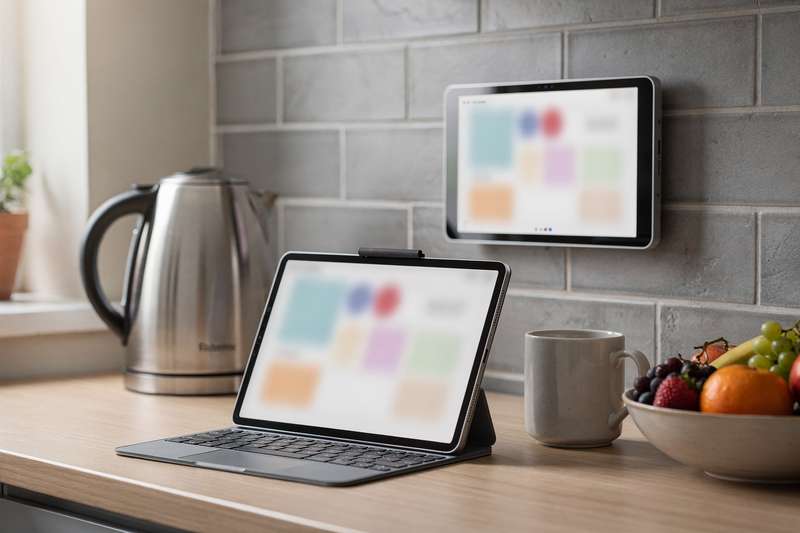
That’s what a smart digital wall calendar does. Mount it in the kitchen or hallway, connect it to Google Calendar, Outlook, or iCloud, and events from every connected device appear on the shared screen automatically. Chores get assigned to specific people. Audible reminders go off at the right moments. When nobody’s checking the schedule, family photos fill the display. It becomes a household command centre rather than yet another digital tool only one person remembers to use.
If you’ve been looking at digital calendars on Amazon UK and trying to work out which screen size makes sense, which brands have reliable software, and whether the chore chart features are actually useful in daily life — this guide gives you clear, practical answers.
How We Evaluated These Picks
To identify the best digital calendars available on Amazon UK right now, we assessed each product against a consistent set of criteria: screen size and resolution relative to the asking tier, touchscreen responsiveness based on patterns in verified buyer feedback, calendar sync compatibility with Google Calendar, Outlook, and iCloud, depth of chore chart and reminder features, ease of initial setup, photo frame functionality, onboard storage capacity, and mounting flexibility. We paid close attention to recurring themes across independent buyer reviews — both positive and negative — rather than relying solely on product descriptions. Where a product has a notably limited number of reviews, that is flagged directly in the relevant section so you can weigh it in your own decision.
Best Overall: Dragon Touch 15.6" Digital Calendar Planner for Family & Chore Chart, White
The Dragon Touch 15.6" Digital Calendar Planner for Family & Chore Chart, White earns the top spot in this guide because it handles shared family scheduling — with meaningful smart features behind it — better than anything else at its tier, and the buyer evidence is substantial. With 4.7 stars from over 600 reviewers on Amazon UK, that rating has been earned from a real and sizable population of buyers, which matters considerably more than a perfect score from a handful of reviews.
At 15.6 inches, the display hits a practical sweet spot for most UK homes. It’s large enough to show a full weekly calendar view in readable text from across a kitchen or hallway, but not so large that it overwhelms a modest wall. The 1080p full HD panel means calendar grids, event text, and family photos are crisp, and the touchscreen responsiveness — a detail that specs rarely capture but buyers consistently comment on — is reported as accurate and prompt by the overwhelming majority of reviewers.
Calendar sync connects over Wi-Fi to Google Calendar, Outlook, and iCloud, so whether your household runs on Android or iPhone, events from individual phones appear on the shared screen automatically. Each family member gets a colour-coded profile, making it easy to see at a glance whose schedule is whose without reading every entry. The chore chart feature lets you assign tasks to specific people, set deadlines, and run a rewards-based system — something buyers with school-age children highlight as one of the most practically useful aspects of the device. Turning weekly chores into a tracked and acknowledged process changes how reliably they actually get done.
The honest tradeoff is setup time. Getting accounts connected, personalising each family member’s profile, and configuring the layout takes a couple of hours upfront. This is not a product you’ll have running ten minutes after unboxing. Put that time in, however, and the result is a shared household tool that actually changes how the family communicates about schedules and tasks — which is exactly what the format promises. Note that a black colourway is also available as a separate listing if that finish suits your space better.
Best Budget Pick: 15.6 inch Digital Photo Frame Digital Calendar FHD 1920×1080 Smart Touchscreen Interactive Display
The 15.6 inch Digital Photo Frame Digital Calendar FHD 1920×1080 Smart Touchscreen Interactive Display for Family Schedules is the most-reviewed digital calendar in this guide, with over 940 verified buyers on Amazon UK — a depth of real-world feedback that carries its own weight as a trust signal. It sits at a noticeably more accessible price tier than the Dragon Touch range, while still offering a full-HD 1920×1080 display, Wi-Fi calendar sync, interactive touch input, and a digital photo frame mode in a 15.6-inch body.
The image quality at 1080p on a 15.6-inch panel is sharp. Calendar grids are legible, event text is clear, and the photo display mode looks good enough to make this a credible ambient display between scheduling views. The 32GB of onboard storage gives you room for a decent family photo library alongside the calendar software, which means the device can serve double duty on the wall — practical scheduling tool during busy mornings, family photo display in quieter moments.
Where it gives ground to pricier options is feature depth. The chore chart functionality is present but less developed than in the Dragon Touch range: fewer customisation options, a simpler approach to task assignment, and a less elaborate rewards structure. The companion app is functional but can feel a little slow on first use, and some buyers note the initial sync setup requires patience. Once it is running, however, it maintains a reliable routine with minimal intervention.
For a household that primarily wants a shared digital calendar with visual reminders and doesn’t need elaborate task management, this product covers the core brief well. The sheer volume of positive reviews across a wide buyer base over time is a meaningful indicator of real-world durability — which is harder to fake at scale than on a lightly reviewed listing.
Best for Large Shared Spaces: Dragon Touch Calendar, 21.5" Digital Calendar 2026 Family Planner
The Dragon Touch Calendar, 21.5" Digital Calendar 2026 Family Planner is the right pick for larger UK homes where a 15-inch screen simply wouldn’t command attention from across the room. The jump from 15.6 to 21.5 inches sounds modest as a number but is substantial in practice: a monthly calendar view becomes readable from the kitchen table, a chore list is visible from the doorway, and there’s enough display area to show multiple family members’ schedules simultaneously without the layout feeling cramped.
The 1080p full HD touchscreen ensures the larger panel doesn’t come at the cost of image quality. Text stays crisp, the touch surface is accurate, and the screen handles both calendar and photo frame modes with the same quality as the smaller Dragon Touch model. This version also includes 64GB of onboard storage — double the capacity of many competitors — which provides headroom for a large photo library, additional widgets, and any extra applications you want to run through the Android-based interface.
All the core features from the 15.6-inch Dragon Touch model carry across here: multi-platform calendar sync with Google, Outlook, and iCloud; colour-coded family member profiles; chore assignment and a rewards system; and photo frame mode when idle. With 4.5 stars from over 220 reviews, buyer feedback is strong and consistent. Reviewers specifically note the large display as making the calendar feel like a proper focal point in the room — something the household naturally gravitates to — rather than a small peripheral screen nobody bothers to consult.
The honest caveat is size and cost. This is a premium product that needs real wall space. In a compact flat or a small galley kitchen, a 21.5-inch screen would feel disproportionate. But for a larger family home with a proper kitchen wall or a family room that benefits from a central reference point, the additional screen real estate makes the digital calendar format work at its best.
Best Compact Pick: Dragon Touch Calendar, 10.1" Digital Calendar 2026 Family Planner
The Dragon Touch Calendar, 10.1" Digital Calendar 2026 Family Planner is the answer when space is the primary constraint. Whether you’re in a smaller flat, a compact kitchen, or a home office where a desk organiser suits you better than a wall-mounted hub, the 10.1-inch form factor brings the complete Dragon Touch feature set in a much smaller footprint.
The 1080p display on a 10-inch panel looks sharp at close range — text is readable, calendar grids are clear, and the photo frame mode looks good at the viewing distances typical for a desk or worktop. The device supports both horizontal and vertical orientation, and can sit on a stand or mount on a wall depending on your preference. That physical flexibility is useful in smaller homes where a device might need to serve different roles over time, or where you’re simply not certain at purchase how you’ll end up using it.
Calendar sync works identically to the larger Dragon Touch models — Google Calendar, Outlook, and iCloud over Wi-Fi — and individual family member profiles with colour-coding are fully present. The chore chart and rewards system are complete, not stripped back for the smaller size. With 4.7 stars from over 210 reviews, this is one of the highest-rated products across the digital calendar category on Amazon UK.
The limitation, and it’s worth being direct: 10.1 inches is not a kitchen command centre you can read from across the room. If you plan to mount this on a wall and expect the whole household to glance at it during breakfast, you’ll find it too small for that purpose. For desk use, personal planning, or a compact home where viewing is always at close range, it performs at the top of its class. For families who prioritise shared kitchen visibility above all else, the 15.6-inch Dragon Touch model is the more practical choice.
Best for Household Meal Planning: Smart Digital Calendar, 10.1" HD Smart Touch Screen Home Interactive Electronic Calender WiFi Planner
The Smart Digital Calendar, 10.1" HD Smart Touch Screen Home Interactive Electronic Calender WiFi Planner is the most feature-diverse compact option in this guide. Beyond standard calendar sync, chore charts, and reminders, it includes a dedicated meal schedule section and a structured duty chart — making it the most targeted option for households where organising weekly meals is as important as tracking appointments and school runs.
The meal planning section lets you enter planned meals by day, displayed alongside the main calendar view so cooking responsibilities and shopping needs sit in context with the rest of the week. The duty chart adds a further layer of household task management on top of the standard chore approach. For a household that treats meal planning as a genuine weekly process — not just a good intention — having it integrated into the shared wall display alongside all other scheduling is a concrete benefit that a standard digital calendar doesn’t provide.
The tradeoff for that broader feature set is a steeper learning curve. Buyers note the interface takes some getting used to, and touchscreen responsiveness is described as reliable but not as immediate as the Dragon Touch models. The Wi-Fi syncing and companion app work as expected, but the overall setup experience feels less polished. With 4.0 stars from 63 reviews, the product sits in positive territory, but the smaller feedback base compared to the top-rated picks here means the long-term picture of software reliability is less established.
If meal planning and household duty management are genuine central priorities alongside calendar scheduling, this product’s specific focus on those functions makes it a more purposeful choice than a standard calendar with a bolted-on extra. If you’re mainly after a well-executed family calendar with chore tracking, the Dragon Touch range provides a more refined execution of that core brief.
Best Entry-Level App-Synced Option: 10.1inch Digital Calendar Electronic Smart Calendars and Chore Chart with Interactive Touch Screen
The 10.1inch Digital Calendar Electronic Smart Calendars and Chore Chart with Interactive Touch Screen Sync with Phone by App for Family Schedules is the most accessible entry point in this guide, and the right starting pick if you want digital calendar functionality and chore chart support without committing to a higher spend. It covers the essentials — touchscreen display, shared scheduling, task assignment, and phone app connectivity — in a compact 10.1-inch format.
Sync is handled through a companion app rather than direct platform integration with Google Calendar or Outlook. For some households — particularly those who don’t already have their scheduling embedded in a specific calendar service — this approach can actually simplify setup, since everything is managed through the device’s own ecosystem rather than requiring configuration of third-party accounts. The touchscreen responds well for a product at this end of the market, and the chore chart layout is clear and practical for day-to-day use.
With 29 reviews on Amazon UK, this product has considerably less buyer feedback than most others in this guide. Those reviews sit at 4.3 stars, which is a positive early signal. But with a limited review pool, the longer-term picture of software update frequency and reliability under daily use is less established than for products with several hundred reviews. That’s a practical consideration if you’re buying something you intend to rely on for two or three years.
Think of this as a lower-risk entry point into the digital wall calendar format. If your household takes to it and you find you want more screen, more sophisticated chore management, or deeper calendar platform integration, you’ll have a clear sense of what to look for when you upgrade. If the format turns out not to suit your family’s habits, the financial exposure is limited.
What to Look For in a Digital Wall Calendar
- Screen size relative to your space: Think honestly about viewing distance before you buy. A 10-inch screen is appropriate on a desk or worktop viewed from close range; a 15.6-inch display works well on a kitchen or hallway wall; a 21.5-inch panel suits larger open-plan spaces or busy households where multiple people need to read the calendar simultaneously from several metres away. Don’t buy a compact model hoping it will function as a kitchen hub visible from across a dining table.
- Calendar app compatibility: Check which platforms the device actually supports before purchasing. Most quality options handle Google Calendar, Outlook, and iCloud simultaneously. If your household mixes Android and Apple users on different calendar services, confirm that all are supported — not just listed with caveats. Budget options may only sync through a proprietary companion app, which limits flexibility as your workflow evolves.
- Touchscreen quality: Responsive, accurate touch input makes a real difference to daily usability — imprecise or laggy panels become frustrating within weeks. Product specifications won’t tell you this. Look specifically for buyer reviews that comment on touchscreen feel, positively or negatively, as they are the most reliable indicator of what the device is actually like after the novelty of the first week wears off.
- Chore chart and task management depth: If household task management is a priority alongside scheduling, look for a device with individual family member profiles, dedicated chore assignment, and a rewards or acknowledgement system. Not all digital calendars include this — some focus purely on scheduling. If you have children whose engagement with a system depends on it being structured and rewarding, confirm the chore chart is meaningfully implemented rather than a tick-box extra.
- Photo frame mode and onboard storage: The best digital calendars display family photos when idle, making the device feel like a natural part of the home rather than a purely functional screen. Internal storage matters here — 32GB gives you a decent photo library alongside the calendar software; 64GB provides considerably more headroom for photos, widgets, and additional apps. Check whether you can customise which albums are shown and how frequently photos rotate.
- Mounting options and orientation flexibility: Confirm whether wall-mounting hardware is included in the box or costs extra. Also check if the device supports both portrait and landscape orientations — the ability to switch can make a real difference depending on the specific wall space you’re working with. Some models also offer a freestanding desk mode, which adds flexibility if your setup is likely to change.
- Review volume and manufacturer track record: A digital calendar is as much a software product as a hardware one, and the software needs ongoing maintenance. A product with 600 reviews at 4.7 stars gives considerably more purchase confidence than one with 12 reviews at 5.0 stars. Consider whether the manufacturer has a visible history of updating their companion apps and responding to support queries — you’re relying on their software being maintained for the useful life of the device.
Verdict
For the majority of UK households, the Dragon Touch 15.6" Digital Calendar Planner for Family & Chore Chart, White is the clearest recommendation. It strikes the right balance between screen size, software depth, and buyer confidence — large enough to function as a proper shared display, smart enough to sync with all the major calendar platforms, and backed by a substantial body of positive reviews that confirms it performs in real daily household use rather than just on a product page.
If budget is the deciding factor, the 15.6 inch FHD Digital Photo Frame Digital Calendar has the most buyer feedback of any product in this category and handles the calendar and photo frame basics well at a more accessible price point. For larger homes, the Dragon Touch 21.5-inch model is worth the additional investment to get a display the whole household can read from across the room. And if your space is compact, the Dragon Touch 10.1-inch brings the full feature set in a smaller body that works well as a desk planner or personal organiser.
A digital wall calendar is one of those products that sounds like a modest convenience until you’ve lived with one for a couple of weeks. When the whole household can see the same schedule without anyone unlocking a phone or consulting a paper planner only one person maintains, the way the family communicates about time and tasks shifts in a way that’s hard to revert from.
We were not paid to feature any specific product in this guide. All opinions are independent and based on publicly available specifications, verified buyer feedback patterns, and category research.
Quick Comparison Table


FAQ
What is a digital wall calendar and how does it differ from a phone calendar app?
A digital wall calendar is a physical screen — typically 10 to 21 inches — that mounts on a wall or sits on a worktop and displays a shared household schedule visible to everyone without anyone needing to unlock a device. Unlike a phone calendar app, it is always on and always visible, making it accessible to all members of the household throughout the day. It syncs with services like Google Calendar or Outlook, so events added on any connected device appear automatically on the shared screen.
Can a digital calendar sync with both Google Calendar and Apple iCloud at the same time?
Yes — most mid-range and premium digital calendars support simultaneous connection to Google Calendar, iCloud, and Outlook. This is particularly useful in households where some members use Android and others use iPhone. Budget options may only sync through a proprietary companion app rather than direct platform integration, so check the specifications carefully before buying if cross-platform support is important to your household.
What screen size do I need for a kitchen wall calendar?
For a typical UK kitchen where the screen will be viewed from two to four metres away, a 15.6-inch display is a practical minimum. A 10-inch screen is readable on a worktop directly in front of you but is too small to serve as a wall-mounted hub that multiple people read while moving through the room. For larger kitchens or open-plan family spaces, a 21-inch panel makes the calendar readable from across the room without having to walk up to it.
Do digital wall calendars work without a Wi-Fi connection?
The calendar will continue to display your existing schedule offline, but automatic syncing with platforms like Google Calendar or iCloud requires an active internet connection. Without Wi-Fi, events added on other devices won’t update on the shared screen, and companion app features won’t be available. For most UK households with a standard broadband connection, this is unlikely to be a practical issue in everyday use.
Are the chore chart features on digital calendars useful in practice?
Based on patterns across buyer reviews in this category, chore chart functionality is consistently highlighted as one of the most practically useful aspects — particularly for families with school-age children. The combination of task assignment to named individuals, deadlines, and a rewards or acknowledgement system appears to translate into real changes in how households distribute and track responsibilities. That said, it requires upfront setup and household buy-in to function properly rather than being ignored after the first week.
What happens if the manufacturer stops supporting the companion app?
If a companion app is discontinued, the device will typically continue displaying locally stored or previously synced calendar data, but will lose the ability to sync new events from connected accounts automatically. This is a genuine long-term consideration when choosing a digital calendar. Products from brands with a large installed user base and a demonstrated track record of supporting their software carry less of this risk than lesser-known manufacturers with minimal buyer history and no visible update activity.