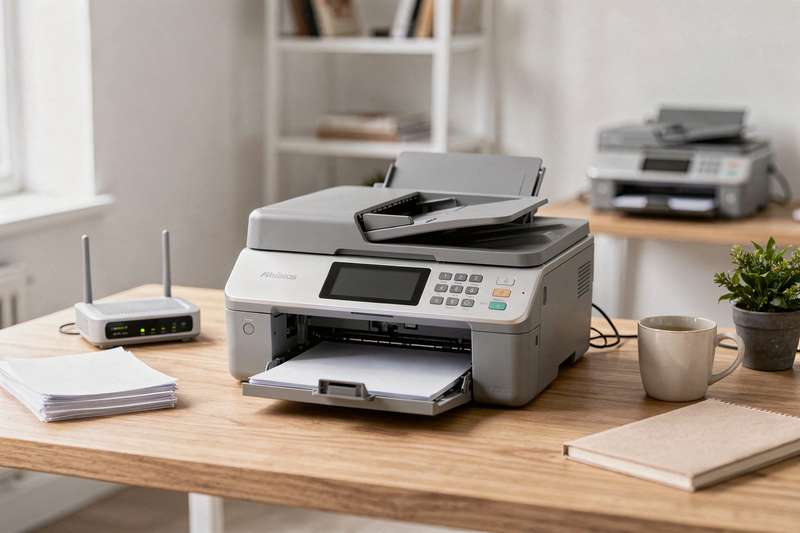
You’re running a small UK office — maybe a solicitor’s practice, an estate agent, a GP surgery, or a busy home-based business — and you still need to send faxes. Not because you enjoy it, but because the other party insists on it, or because a regulatory workflow demands a paper trail. Meanwhile, you also need to print invoices, scan contracts, and copy the odd form. You’ve tried getting by with a basic inkjet that cost almost nothing, only to discover it jams every other day, costs a fortune in cartridges, and has no fax function at all. You’ve tried a dedicated fax machine, but it sits on your desk doing precisely one thing, taking up space you don’t have. What you actually want is a single, reliable device that faxes, prints, copies, and scans — without demanding constant attention, specialist knowledge, or a second mortgage’s worth of consumables.
That’s a harder brief than it sounds. The UK market is littered with multifunction printers (MFPs) that advertise fax capability but bury it in menus so convoluted you’d need a degree to find it, or machines that are genuinely brilliant at printing but treat faxing as an afterthought. This guide cuts through the noise and identifies the best options available right now on Amazon UK, whether you need a compact inkjet for occasional faxing, an A3-capable workhorse for a busy team, or a colour laser-LED device that keeps running costs low.
How These Picks Were Evaluated
Every product in this guide was assessed against a consistent set of criteria drawn from verified buyer feedback patterns (ratings and review volumes on Amazon UK), published technical specifications, and category-level knowledge built up from evaluating dozens of MFPs over the years. The criteria included: fax functionality and ease of use (including automatic document feeder capacity), print technology and running costs, wireless and connectivity options, paper handling (sheet capacity and duplex support), build quality signals from real reviewer patterns, and the practicality of setup for a non-technical user. Where a product had fewer than 50 reviews, that was factored into the confidence level — promising but less proven. Ink tank and toner models were assessed separately because their cost-per-page economics differ substantially from standard cartridge machines. No product was included simply because it was popular — it had to earn its place by genuinely serving a specific reader need.
Best All-Round Inkjet Multifunction: Canon MAXIFY MB5150
The Canon MAXIFY MB5150 is the pick for small UK offices that want a dependable, well-rounded multifunction inkjet with solid fax credentials and enough paper capacity to handle a genuine daily workload. Rated 4.4 out of 5 stars from 438 Amazon UK reviewers, it has the review depth to give you real confidence, not just a handful of early adopter opinions.
The MB5150 handles print, copy, scan, and fax across A4, with a 250-sheet paper cassette that means you won’t be refilling paper every hour. The 50-sheet automatic document feeder (ADF) is particularly useful for faxing multi-page contracts or scanning batches of documents without babysitting the machine page by page. Two-sided scanning is supported, which matters when you’re processing double-sided forms. Wi-Fi connectivity makes it easy to print from laptops, phones, or tablets without hunting for a cable, and the fax module is a proper, first-class feature rather than a checkbox on the spec sheet.
In terms of tradeoffs, the MB5150 is an inkjet, which means print quality for colour graphics is genuinely good but running costs depend heavily on how you buy your ink. Canon’s MAXIFY cartridges come in XL and XXL sizes, and if you buy the larger cartridges, cost-per-page stays reasonable for a business inkjet. If you default to standard cartridges, it gets expensive quickly. The machine is also physically larger than a budget inkjet, so measure your desk space before ordering. A small number of reviewers mention that the touchscreen interface takes a few sessions to feel intuitive, though setup itself is rated as straightforward by most buyers.
For a small solicitor’s office, letting agency, or busy home office where faxing is a regular requirement alongside moderate print and scan volumes, the MB5150 sits in a sensible mid-range tier and does everything asked of it without drama. It’s not the cheapest option here, but the combination of ADF capacity, paper handling, and proven reliability across hundreds of real-world reviews makes it the easiest recommendation for readers who need genuine all-round performance.
Best Budget Multifunction Inkjet: Epson WorkForce Pro WF-3820DWF
If your fax and print volumes are modest and you want capable multifunction performance without stretching to a premium price, the Epson WorkForce Pro WF-3820DWF is the smartest entry point in this category. It carries a 4.3-star rating from 542 reviewers on Amazon UK — that’s the largest review pool in this roundup, which means the rating is robust and reflects sustained real-world use rather than a launch-period spike.
The WF-3820DWF delivers print, copy, scan, and fax in a reasonably compact body, with Wi-Fi and automatic two-sided printing as standard. The ADF handles multi-page documents, making faxing and scanning batches practical rather than painful. Epson’s WorkForce Pro range is aimed squarely at small business users, so the design philosophy prioritises reliability and low running costs over headline features — which is exactly right for a machine that needs to work every day without fuss.
The tradeoffs are worth being honest about. At the more affordable end of the multifunction market, paper capacity is lower than on the Canon MB5150, so if your team goes through reams of paper daily, you’ll be refilling more often. The fax functionality works well for standard transmission but the interface for setting up address books and speed dials is functional rather than elegant. Some reviewers note that the touchscreen is smaller than they’d like. Epson’s Claria Business ink gives solid text quality and reasonable colour output for invoices and client-facing documents, but it isn’t a laser and won’t match toner for sharp, crisp text at high volumes.
Where the WF-3820DWF genuinely earns its place is for home offices, small charities, or sole traders who need fax capability alongside everyday print and scan, but who don’t send hundreds of pages a day. The running costs using Epson’s high-yield cartridges are competitive, and the combination of a large reviewer base and solid rating gives you the confidence that this is a machine that holds up over time, not just in the first week.
Best for A3 Print and Fax: Brother MFC-J5340DW
Most small office multifunction devices top out at A4, which is fine for the majority of tasks. But if your work involves architectural drawings, large spreadsheets, signage, or any document that genuinely needs A3 output, the Brother MFC-J5340DW is the only pick in this guide that gives you A3 print capability alongside fax, copy, and scan — all from a wireless inkjet that connects via Wi-Fi, USB, or NFC.
Rated 4.4 out of 5 stars from 183 Amazon UK reviewers, the MFC-J5340DW sits in the same quality tier as the Canon MB5150 but serves a different use case. The 6.8cm LCD screen gives you a usable interface for navigating fax settings, scanning options, and copy configurations without squinting at a tiny display. NFC is a genuinely useful addition if your team works from Android phones and tablets — tap to print or scan without having to fiddle with Wi-Fi credentials on a shared device.
The A3 capability does come with a physical footprint to match. This is not a machine for a cramped desk. If you have the space, the payoff is considerable: being able to print A3 documents in-house rather than sending them to a print shop saves both time and money for businesses that need it regularly. The fax module operates at standard transmission speeds and supports standard phone-line connection, making it compatible with the majority of UK PSTN and VoIP setups (though it’s worth double-checking VoIP compatibility with your provider before purchasing).
Brother’s inkjet running costs are generally competitive when you use their high-yield cartridges, and the brand has a strong reputation in the UK small business market for longevity. The main tradeoff versus a laser or LED machine is that print speeds for high-volume jobs will be slower, and if the machine sits idle for extended periods, inkjet nozzles can clog — though Brother’s automatic cleaning cycles mitigate this for most users. For architects, designers, estate agents producing floor plans, or any business that genuinely needs A3, this fills a gap that no other pick here can.
Best Colour LED All-in-One: Brother MFC-L3760CDW
The Brother MFC-L3760CDW uses LED print technology — functionally very similar to laser in terms of output quality, running costs, and print speed, but technically distinct. This matters because the previous version of this guide incorrectly labelled it as a laser printer; it is an LED all-in-one, and that’s what you should understand when you’re buying it. The distinction rarely affects real-world performance — toner-based LED output is sharp, fast, and consistent, with none of the nozzle-clogging concerns that affect inkjets sitting idle.
Rated 4.4 out of 5 stars from 25 Amazon UK reviewers, the MFC-L3760CDW is the newest product in this roundup and has the thinnest review base. The rating is strong but should be treated with appropriate caution given the sample size. What the specification sheet and early reviewer feedback consistently highlight is speed and reliability: this is a machine built for businesses that print, copy, scan, and fax throughout the day and need colour output that stays consistent across hundreds of pages.
The wireless connectivity, USB 2.0 port, and A4 footprint make it practical for a shared office environment. Because it uses toner rather than liquid ink, there’s no warm-up time to speak of and no risk of smudged output if a document is handled immediately after printing — relevant for busy receptions or legal offices where documents move quickly from printer to hand. Toner cartridges also last considerably longer than standard inkjet cartridges at equivalent print volumes, which reduces the frequency of consumable orders.
The tradeoffs are mostly about the price tier: this sits at the higher end of the small office MFP market, and with only 25 reviews, you’re placing more trust in the brand’s track record (which is substantial) than in a deep pool of verified buyer experiences. For a team that prints colour documents regularly, faxes occasionally, and values toner economics over time, the MFC-L3760CDW is a well-specified choice. For a user who only prints sporadically, the higher per-unit cost is harder to justify against a more modest inkjet.
Best Colour Laser All-in-One: Xerox C325dni
The Xerox C325dni is the genuine colour laser option in this guide — 33 pages per minute, automatic two-sided printing, wireless connectivity, and a compact A4 form factor aimed at home office and small office users. Rated 4.1 out of 5 stars from 71 Amazon UK reviewers, it has enough real-world feedback to validate the spec sheet claims.
Xerox’s C-series machines have earned a reputation for reliable colour laser output in a segment that’s often dominated by Brother and HP. The C325dni delivers the print speed and toner economics that make laser technology attractive for offices where colour documents are a daily requirement — marketing materials, client presentations, branded correspondence. At 33 pages per minute, it handles rush jobs without the queue building up, and because it’s a laser device, output quality is consistent regardless of whether the machine has been sitting idle overnight or has been running all morning.
The fax capability is present, though reviewers’ comments suggest it functions correctly as a standard fax channel rather than as a headline feature. For offices where faxing is occasional rather than constant, that’s entirely adequate. The automatic two-sided printing is a practical asset for reducing paper consumption and keeping document filing manageable. Wireless connectivity means it integrates cleanly into a modern office network without requiring a dedicated USB-connected PC.
Where the C325dni asks you to accept a tradeoff is in the review depth: 71 reviews is enough to read patterns but not enough to have complete confidence about long-term reliability compared to machines with several hundred verified buyers. The Xerox brand name carries weight in professional print environments, which provides some reassurance, but if brand-neutral evidence from buyers is your primary trust signal, the Canon and Epson picks in this guide offer larger sample sizes. For buyers who specifically need colour laser rather than LED or inkjet, the C325dni is the right tool.
Best High-Volume Inkjet with Fax: Epson WorkForce WF-4830
The Epson WorkForce WF-4830 is built for offices that print and fax at higher daily volumes than a standard compact MFP can handle comfortably. Rated 4.2 out of 5 stars from 164 Amazon UK reviewers, it sits between the budget WF-3820DWF and the premium tier, offering more paper capacity, an ethernet port alongside Wi-Fi, and Wi-Fi Direct for device-to-device connections without a router.
The ethernet connection is worth highlighting specifically. For an office with a wired network — common in solicitors, accountancies, and medical practices that prioritise network stability over wireless convenience — having a physical LAN port means the printer is always reachable without worrying about Wi-Fi dropouts at an inconvenient moment. For regulated environments where wireless is restricted, it’s not just convenient but necessary. The ADF handles multi-page documents efficiently, and the scanner is capable enough for document management workflows where scanned contracts or forms need to be archived digitally.
Fax functionality on the WF-4830 works via the standard telephone line and supports the features you’d expect: speed dial, broadcast faxing to multiple recipients, and received-fax memory storage for when the machine is out of paper. The print quality from Epson’s DURABrite Ultra ink is sharp for text and respectable for colour, though like all inkjets it won’t match laser for absolutely crisp fine text at very small point sizes.
The honest limitation here is that the WF-4830 is still an inkjet, so high-volume colour printing will go through ink faster than toner-based machines, and the cost-per-page arithmetic shifts accordingly. It’s the right pick for offices that need a step up in paper handling and connectivity over a basic MFP but aren’t ready to move to laser, or where colour inkjet output quality is a genuine requirement for client-facing documents. The ethernet port alone makes it the preferred choice for wired-network office environments.
Best Ink Tank Multifunction with Fax: Epson EcoTank ET-4950
If your office prints frequently enough that cartridge costs have become a running frustration, the Epson EcoTank ET-4950 addresses that problem directly. Rated 3.9 out of 5 stars from an impressive 889 Amazon UK reviewers — by far the largest review pool in this guide — it has more real-world feedback than all other picks combined, which makes the rating particularly informative.
The EcoTank system replaces small cartridges with large refillable ink tanks that you top up from ink bottles. The economics are straightforward: the upfront cost is higher than a standard inkjet MFP, but once you’re past that initial investment, the cost per page drops dramatically compared to cartridge-based machines. For a home office or small business that prints regularly — weekly mail-outs, frequent invoices, regular correspondence — the savings over 18-24 months can be substantial. This is a print, copy, scan, and fax machine, with wireless and ethernet connectivity, duplex printing, and a 6.1cm touchscreen for navigation.
The ADF handles document batches, and the fax module is a proper integrated feature. The touchscreen interface is functional and responsive for configuring fax settings, managing scan-to-email workflows, and copying multi-page documents. Duplex printing is automatic, reducing paper usage and handling time for double-sided documents.
The 3.9-star rating, while still positive, is worth scrutinising. With 889 reviews, patterns in the lower ratings become visible: some buyers report issues with ink bottle pouring (spillage risk if you rush the refill process), and a subset of reviewers note that the machine is better suited to regular use than to sporadic printing — like all ink tank systems, sitting idle for weeks can affect ink flow. For an office with consistent daily or weekly print volumes, those concerns are largely irrelevant. For an occasional user who might go a month without printing, a cartridge machine is the safer choice. But for the right user profile, the ET-4950 makes the recurring cost of printing genuinely manageable.
Best for HP Ecosystem Users: HP OfficeJet Pro 9135e
The HP OfficeJet Pro 9135e is the pick for readers already embedded in the HP ecosystem — HP Instant Ink subscribers, users of HP’s smart printing apps, or offices that have standardised on HP hardware and want consistency across their device fleet. Rated 3.8 out of 5 stars from 31 Amazon UK reviewers, it has the thinnest review base of any pick in this guide, which means the rating carries less statistical weight than the Epson or Canon options.
The 9135e covers print, scan, copy, and fax with colour inkjet output and wireless connectivity. The Instant Ink subscription offer (three months included) is a genuine incentive if you print at volumes where a subscription model makes economic sense — HP monitors your ink usage and ships replacement cartridges before you run out, eliminating the emergency trip to a stationery shop. For a busy small office already comfortable with subscription services, it’s a frictionless approach to consumables management.
In terms of print performance, HP’s OfficeJet Pro range is well-regarded for text sharpness and reliable wireless operation. The fax capability is integrated rather than bolted on, and the machine handles standard telephone-line faxing without issues. The touchscreen interface is among the more intuitive in the HP lineup, and setup via the HP Smart app is straightforward for most users.
The tradeoff is straightforward: with only 31 reviews, you’re relying more heavily on HP’s brand reputation and less on the weight of buyer experience specific to this model. The 3.8-star average, while not alarming, is the lowest in this roundup and warrants reading the individual reviews carefully before committing. If you’re not already invested in the HP ecosystem and Instant Ink doesn’t appeal, the Canon MB5150 or Epson WF-4830 offer stronger evidence bases at similar or lower price tiers. But for an HP loyalist who values brand continuity, the 9135e fits neatly into an existing setup.
What to Look For When Buying a Fax and Multifunction Device
- Fax connectivity and compatibility: Most MFPs connect to a standard telephone line (PSTN). If your office uses a VoIP phone system — increasingly common as BT moves away from the analogue network — check explicitly that the printer supports VoIP or T.38 fax protocol. Not all machines do, and finding out after purchase is frustrating.
- ADF capacity: The automatic document feeder determines how many pages you can load and walk away from. A 20-sheet ADF is adequate for personal use; a 50-sheet ADF is far more practical for a busy office faxing multi-page contracts or scanning batches of forms. Larger ADFs cost more but save significant time.
- Print technology — inkjet, laser, or ink tank: Inkjet machines are generally cheaper upfront and produce good colour quality, but cartridge running costs can be high at volume. Laser and LED devices have higher upfront costs but lower cost per page and no nozzle-clog risk during idle periods. Ink tank systems invert the economics — high upfront cost, very low ongoing cost per page — and suit offices with consistent, regular print volumes.
- Duplex printing and scanning: Automatic two-sided printing reduces paper consumption and is standard on most mid-range and above machines. Two-sided scanning (duplex ADF scanning) is less common but saves time when processing double-sided documents. Check the spec sheet carefully — not all models that support duplex printing also support duplex scanning.
- Connectivity options: At minimum, look for Wi-Fi. For offices with wired networks, an ethernet (LAN) port is essential for stability. USB remains useful for a dedicated PC connection. NFC is a bonus for mobile-heavy teams. Check whether the machine supports your preferred print protocol (AirPrint for Apple devices, Mopria for Android).
- Paper capacity and media handling: A 150-sheet tray is adequate for a home office; a 250-sheet or larger tray reduces the frequency of reloading in a busier environment. If you print on envelopes, labels, or card stock regularly, check the supported media types — not all MFPs handle non-standard media cleanly.
- Running costs and consumables availability: A cheap machine with expensive proprietary cartridges can cost more over two years than a pricier machine with affordable high-yield consumables. Before buying, search for the cartridge or toner model number on Amazon UK and check the price and availability of XL or high-yield versions. Machines with scarce or discontinued consumables are a future headache.
Verdict
For the majority of UK small offices — a legal practice, letting agency, consultancy, or busy home office — the Canon MAXIFY MB5150 is the clearest recommendation. It combines a substantial review base (438 verified buyers at 4.4 stars), genuine fax functionality with a 50-sheet ADF, 250-sheet paper capacity, two-sided scanning, and Wi-Fi in a single well-built inkjet multifunction device. The running costs are manageable with XL cartridges, and the setup is accessible without IT support.
If your budget is tighter and your volumes are lower, the Epson WorkForce Pro WF-3820DWF is the next-best choice — it has the largest review pool in this guide and a 4.3-star rating that reflects genuine reliability. For high-volume printing where long-term ink costs matter most, the Epson EcoTank ET-4950‘s 889 reviews tell a clear story: buyers who use it regularly find the economics compelling. And if you genuinely need A3 output alongside fax, the Brother MFC-J5340DW is the only option here that can deliver it.
We were not paid to feature any specific product in this guide. All opinions are independent and based on publicly available specifications, verified buyer feedback patterns, and category research.
Quick Comparison Table


FAQ
Do multifunction printers still support analogue fax lines in 2026?
Yes — every device in this guide connects to a standard telephone line for fax. However, BT’s ongoing digital switchover means analogue lines are being phased out across the UK. If your office is moving to a VoIP or digital phone system, check that your chosen MFP supports T.38 fax over IP or ask your phone provider about an analogue telephone adaptor (ATA) before buying.
What’s the difference between a laser, LED, and inkjet multifunction printer?
Laser and LED printers both use toner and electrostatic drum technology to produce sharp, fast, smudge-resistant output — the difference is in how the drum is exposed (laser beam vs. LED array), but for most users the practical results are indistinguishable. Inkjet printers use liquid ink sprayed through microscopic nozzles; they’re generally cheaper upfront and produce excellent colour, but can clog if left idle and have higher running costs per page unless you use high-yield or ink tank cartridges.
Is an ink tank printer worth it for a small office that faxes regularly?
It depends on your print volume. Ink tank machines like the Epson EcoTank ET-4950 have a higher upfront cost but dramatically lower cost per page once you’re past the initial investment. If your office prints consistently — at least several hundred pages a month — the maths typically works in your favour within 12-18 months. If you print infrequently, the ink can dry in the system between uses, and a standard cartridge machine is the more practical choice.
Can I use a multifunction printer on a VoIP phone system for faxing?
Some MFPs work with VoIP, but it’s not guaranteed. Standard fax uses analogue signals that can degrade over a digital VoIP connection. T.38 is a protocol designed specifically to carry fax over IP networks reliably — check whether both your MFP and your VoIP provider support it. If they don’t, your provider may offer an analogue telephone adaptor, or you might consider an internet fax service as an alternative.
How important is ADF capacity for faxing?
Very important if you regularly fax documents longer than a couple of pages. Without an ADF, you feed pages one at a time, which is slow and error-prone for multi-page contracts or reports. A 20-sheet ADF handles personal use comfortably; a 50-sheet ADF is the practical minimum for a busy small office. Some machines also offer duplex ADF scanning, which lets you scan both sides of a document automatically — worth seeking out if you handle double-sided paperwork.
Will my multifunction printer still work when BT switches off the analogue network?
The PSTN switch-off means traditional analogue phone lines will be replaced by digital alternatives. Most MFPs will continue to fax if you use an analogue telephone adaptor (ATA) provided by your telecoms supplier, or if your provider supports T.38 fax over IP. It’s worth contacting your phone or broadband provider now to understand what fax support they will offer after the switch-off date in your area, and factor that into your buying decision.