Picture the scene: you’re in an important client briefing, three people are talking over each other, someone is mumbling into their coffee, and your hastily scribbled notes are already a mess. You reach for your phone to record — only to find the screen timed out mid-meeting, and the dictaphone app captured nothing but two minutes of silence. Or maybe you’re a student trying to follow a fast-paced lecture while also catching every detail on paper, discovering at revision time that the gaps in your notes are exactly where the key concepts live. Perhaps you’re a journalist doing a roadside interview with wind battering your smartphone’s microphone, turning your subject’s quotes into indistinct rumble.
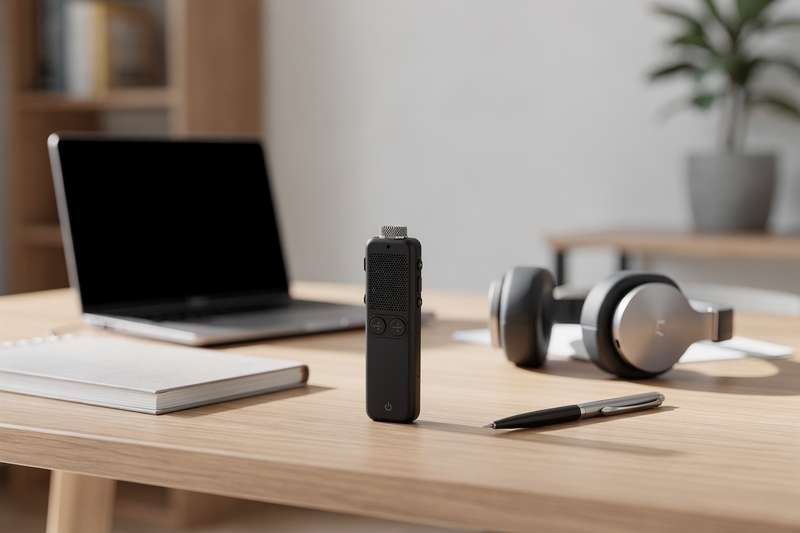
In each of these situations, a dedicated digital voice recorder would have solved the problem cleanly. Phones are convenient, but they’re distracted devices — prone to notifications, battery drain, and microphones that prioritise phone calls over ambient audio capture. A pocket-sized dictaphone with voice activation, proper noise reduction, and hours of battery life is a fundamentally different tool. It starts recording when you need it to, keeps going, and stays out of your way.
The market has moved quickly. Alongside traditional click-and-record digital dictaphones, you’ll now find recorders with AI transcription built in — devices that don’t just capture audio but convert it to text, summarise meetings, and translate across dozens of languages. This guide covers six of the best voice recorders available on Amazon UK right now, from no-frills budget options through to AI-powered recording companions that can replace a transcription service entirely.
How These Recorders Were Selected
To build this shortlist, eight voice recorders currently available on Amazon UK were assessed against a consistent set of criteria: recording resolution and bitrate (which directly affects audio clarity), onboard storage capacity, noise reduction approach and effectiveness, ease of use — particularly how quickly you can begin recording from a cold start — connectivity (USB-C is now table stakes for portable devices), and the volume and consistency of verified buyer feedback. For AI-enabled models, additional weight was given to transcription feature quality, language support breadth, and whether the companion app adds genuine value to a workflow rather than creating dependency on a subscription. Products with zero verified reviews were excluded, as were listings that appeared to be colour or storage-size variants of the same product line. Where a shortlisted product carries a limited review count, that limitation is flagged in the relevant section so you can factor it into your decision.
Best Overall Voice Recorder
The 32GB Digital Voice Recorder 3072kbps HD Voice Activated Recorder with Playback, 7-Levels Intelligent Noise Reduction Dictaphone is the option most buyers are reaching for, and with 445 verified reviews averaging 4.1 out of 5 stars, the data backs that up. It covers all the fundamentals without unnecessary complication — which is exactly what the majority of users actually need: students, office workers, legal professionals, and anyone who records primarily for later playback.
The headline specification is the 3072 Kbps recording quality, which is notably high for a dictaphone in this category. Higher bitrate recording captures more audio detail, meaning voices remain crisp and distinct even when played back at volume or through external speakers during transcription work. The 32GB of onboard storage provides substantial headroom before you need to offload files, and voice activation means the recorder doesn’t waste storage on lengthy silences — it starts when sound is detected and pauses when the room goes quiet.
The seven-level intelligent noise reduction system is the feature that separates this recorder from cheaper alternatives. Most budget dictaphones offer a basic on/off noise filter; seven distinct levels means you can calibrate the recorder to your environment, whether that’s a quiet office requiring minimal intervention or a busy café where background chatter needs to be aggressively suppressed. Buyers consistently highlight this in reviews, with many noting that voice intelligibility holds up even in less-than-ideal recording conditions.
Where it falls short is in the smart-feature department — this is a straightforward capture device, not an AI transcription tool. If you need automatic meeting summaries or text output, transcription will need to be handled separately via an app or service. The lack of a clearly branded identity (it’s listed as a generic product) can also make warranty queries and after-sales support harder to resolve than with a named manufacturer. That said, as a pure audio capture device for someone who wants reliable, high-quality recordings without a learning curve, this is the category bestseller for good reason.
Playback functionality is included, meaning you can review recordings directly on the device — useful when you need to check a specific section without unpacking a laptop. For students, medical professionals, or anyone in a documentation-heavy role who simply wants to press record and trust the technology, this is the most logical starting point in this comparison.
Best AI Voice Recorder for Meetings and Multilingual Use
The FoCase Note AI Voice Recorder, Transcribe & Summarize, Translation, APP Control with Chat GPT, Magnetic, 64GB Memory, Support 112 Languages represents the new wave of smart dictaphones — devices that don’t just store audio but actively process it into usable text. With 318 verified reviews and a 4.0-star rating, it has the buyer base to validate its feature claims.
The core capability is the AI transcription and summarisation pipeline. Rather than returning a raw audio file to sit in a folder, the FoCase Note works via a companion app to convert speech to text, then generate a summary of the key points. This is a workflow that’s useful for anyone who records meetings, consultations, or lectures and needs to extract action items without listening back to the entire recording. The Chat GPT integration takes this further, allowing you to interact with your transcript and ask questions about the content — practical for researchers or analysts who need to surface specific information from lengthy recordings.
The 112-language support is particularly valuable if you work in multilingual environments or travel for business. It means the transcription engine can handle interviews, briefings, or fieldwork conducted in languages other than English without requiring a separate translation step. The device’s magnetic design allows it to attach to a metal surface, opening up hands-free recording setups in vehicles, under furniture, or on metal-framed desks — a useful deployment option for consistent, unattended capture.
The 64GB of onboard memory is generous, giving you considerable capacity before file management becomes necessary. App control via smartphone lets you adjust settings, trigger recording, and access transcripts without touching the physical device — useful if the recorder is mounted somewhere inconvenient. Reviewers generally report positive experiences, though some note that transcription accuracy depends on audio clarity and that heavily accented speech can occasionally challenge the AI engine. This is not unique to the FoCase Note — all cloud-based transcription tools face this limitation to some degree.
The main tradeoff is cloud dependency. AI transcription typically requires internet connectivity and in some cases an active account or subscription — check the current terms before purchasing if offline functionality is a priority for your use case. For business users, multilingual teams, journalists, or anyone whose workflow requires text output rather than audio files, the FoCase Note is the most fully-featured AI recorder in this comparison.
Best for Discreet and Hands-Free Recording
The Lymorvex 64GB Magnetic Voice Activated Recorder Device occupies a specific niche: situations where you need a recorder to operate without you actively managing it. With 51 verified reviews and a 4.8-star rating, it’s a relatively recent listing that has accumulated strong early feedback.
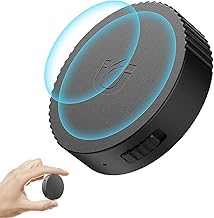
The magnetic housing is the defining design choice. It allows the recorder to attach to metal surfaces — under a desk, on the side of a filing cabinet, inside a vehicle — without tape, brackets, or improvised mounting. Combined with voice activation, this means you can position the device, walk away, and have it capture audio automatically whenever conversation begins. The 9,800-hour storage capacity noted in the product listing reflects the 64GB of internal memory, giving you substantial capacity that’s unlikely to fill up across a working week of regular use.
The AI-intelligent noise reduction filters background hum, HVAC systems, and general room noise before they reach the recording. This matters especially for setups where you can’t position the microphone close to the subject — the further the recorder from the speaker, the more ambient noise it picks up, so effective noise filtering is particularly important in this use case. A recorder that picks up everything equally won’t produce usable audio from across a room; one with intelligent noise processing gives you a fighting chance.
The 4.8-star rating from 51 reviews is a strong early signal, but it’s worth applying some caution here. Fifty-one reviews is a relatively small sample compared to the most-reviewed options in this guide. Check current reviews before purchasing, particularly for mentions of battery longevity and whether the voice activation sensitivity threshold is adjustable — a threshold that’s too sensitive records unnecessary silences; one that’s too conservative misses quiet speech at a distance.
For researchers conducting field observations, professionals who need a set-and-forget recording solution, or anyone who requires a device that operates without constant manual attention, the Lymorvex offers a practical combination of discreet form factor, large storage, and capable audio processing. Its value lies in the deployment flexibility that the magnet and voice activation combination enables — it’s a different tool from a standard dictaphone, and well-suited to the right job.
Best for Crystal-Clear HD Audio
If audio quality is your primary concern and you’re happy to forgo smart features, the 64GB Digital Voice Recorder with One Button 3072 Kbps HD Recording Noise Reduction Enhanced Audio Dictaphone with Lock & Type-C Charge warrants serious consideration. It carries 79 verified reviews and a 4.8-star rating — the joint-highest in this comparison — suggesting a user base that is broadly very satisfied with the experience.
The one-button recording design is deliberately streamlined. You press record; recording begins — no menus to navigate, no settings to configure before you can capture audio. This is the right approach for environments where speed matters: a journalist rushing to get an interview started, a medical professional capturing a patient consultation before the conversation begins, or a student who needs the device running before the lecture starts. Simplicity isn’t a lack of ambition here — it’s an intentional design choice that eliminates user error and reduces setup friction to zero.
At 3072 Kbps, the recording bitrate is high for this category and more than sufficient for voice work. The enhanced audio processing and noise reduction ensure that what you capture is clean and intelligible even in imperfect environments. The device lock feature prevents accidental button presses from pausing or ending a recording mid-session — anyone who has lost a recording to an inadvertent keypress will understand exactly why this matters, particularly during long unattended sessions.
Type-C charging is a practical choice over older Micro-USB ports, meaning you can charge it from the same cable as your phone or laptop. This sounds like a minor detail but matters when you’re travelling light without multiple cable types in tow. The 64GB of onboard storage provides extensive capacity, and MP3 format compatibility means files work immediately with virtually any playback device or transcription software without conversion.
The caveat here mirrors the best-overall pick: this is a capture device, not a smart one. There’s no AI transcription, no companion app, no automatic summarisation. If your workflow ends with a clean audio file, that’s perfectly adequate. If it needs to end with a text document, you’ll need an additional transcription tool in your chain. For podcasters capturing interview audio, legal professionals recording consultations, or anyone prioritising recording fidelity over downstream automation, this is a thoroughly capable device.
Best Budget Pick
For anyone who needs reliable voice recording without a significant outlay, the 64GB Digital Voice Recorder with USB Type C, 4800Hrs Recording Storage Duration Dictaphone, Voice Activated Recording Recorder with AI Noise offers a creditable feature set at the entry-level price point. It has 187 verified reviews and a 4.0-star rating — enough buyer feedback to paint a reliable picture of real-world performance at this tier.
The headline number here is 4,800 hours of recording storage capacity, which reflects the 64GB of internal memory and puts the available space in practical context. Most people in typical professional use record an hour or two per week — this device’s storage won’t fill up in any meaningful timeframe. Voice activation means you’re only using that storage when audio is actually present, extending the practical life between file transfers further still.
USB-C charging is a welcome inclusion at this price tier, where you might reasonably expect a Micro-USB port. It keeps the device compatible with modern charging setups without a dedicated adapter. The AI noise reduction — increasingly standard even at the budget end of the market — filters out background interference and keeps the recording focused on speech. Based on review patterns, it performs well in standard indoor environments; in high-noise outdoor settings, expectation management is appropriate.
At this price point, compromises are present but honest. The physical build quality is functional rather than premium — the plastic housing won’t feel as substantial as a more expensive device, and the interface is basic. Some reviewers note that the voice activation threshold isn’t as precisely adjustable as they’d prefer. If you need fine-grained control over noise reduction levels, the best-overall pick with its seven-level system offers considerably more granularity for not much more investment.
This device makes most sense for occasional users — students recording lectures a few times a week, people who want a backup recorder for meetings, or anyone testing whether a dedicated dictaphone improves their workflow before committing to a more featured model. It gets the fundamentals right at a price that makes the decision low-risk.
Best Premium AI Voice Recorder
The Comu Action Pro AI Voice Recorder, Automatic AI Docs, 70H+ Battery Life sits at the top of this category in terms of specification ambition, and its 5.0-star rating from early reviewers is an encouraging opening signal — though with only 10 reviews at time of writing, treat that figure as a promising indicator rather than a settled verdict from a broad user base.
The 70H+ battery life is the most striking specification here, and it reframes what a voice recorder can realistically do. At that capacity, this isn’t just a device for capturing a single meeting — it’s a companion that can run for days without returning to a charger. For researchers conducting extended fieldwork, professionals needing sustained recording across multiple days, or healthcare workers who need a device running across a full working week, battery longevity of this order opens up use cases that standard dictaphones simply can’t address.
The Automatic AI Docs feature is the most sophisticated AI integration in this comparison. Rather than requiring you to initiate a transcription request after recording, the device processes recordings into structured documents automatically — meeting notes, interview transcripts, research summaries. The practical value depends on how well the AI handles your specific audio environment and accent patterns, which is harder to verify with a limited review sample. Early buyer feedback is positive, but broader testing across varied recording conditions hasn’t yet been documented at scale.
As a premium purchase, the Comu Action Pro asks you to pay for specification headroom that most buyers won’t fully use on a daily basis. The 70-hour battery is extraordinary, but if your use case is a one-hour weekly team meeting, a standard recorder is already more than adequate. The real audience here is a professional who needs sustained, automated, high-quality recording as a core part of their workflow — qualitative researchers, investigative journalists, business intelligence professionals who document client conversations systematically.
If you’re considering this device, monitor current reviews as the sample grows beyond its current 10. A product with 400 reviews at 4.1 stars tells you significantly more about real-world reliability than one with 10 reviews at 5.0 stars. That said, if the specification sheet matches your needs and the budget is available, the Comu Action Pro represents the direction this category is moving — AI-native, long-running, and built around structured documentation rather than just audio capture.
What to Look For in a Voice Recorder
With options spanning basic dictaphones to AI-powered documentation tools, knowing which specifications matter to your use case saves you from buying more — or less — than you need.
- Recording bitrate and format: Bitrate directly affects audio quality. For voice recording, 3072 Kbps captures considerably more detail than lower-bitrate settings, resulting in cleaner, more intelligible playback. Common formats are WAV (uncompressed, larger files) and MP3 (compressed, smaller files). Both are widely compatible, but WAV is preferable if you plan to edit or post-process the audio through professional software.
- Storage capacity: 32GB is adequate for most general users; 64GB provides extended runway before file management becomes necessary. Voice files are not especially large — even at high bitrate, you’ll get substantial recording time per gigabyte. Voice activation helps by only recording when audio is present, significantly extending practical storage life between transfers.
- Noise reduction: Look for multi-level noise reduction rather than a single on/off switch. Adjustable levels let you calibrate for different environments — a quiet office needs minimal intervention; an open-plan workspace or outdoor location benefits from more aggressive background suppression. Seven-level systems offer the most flexibility across varied recording conditions.
- Voice activation: Automatically starts recording when sound is detected and pauses during silences. This conserves both battery and storage, and makes it easier to navigate to specific content within a long session. Check whether the sensitivity threshold is user-adjustable for your specific recording environment — a poorly calibrated threshold is one of the most common complaints in buyer reviews.
- Connectivity and charging: USB-C is the current standard and considerably more convenient than Micro-USB, which requires a separate cable. Type-C also tends to support faster charging speeds, which matters when you need the device topped up quickly between sessions or trips.
- AI and transcription features: AI transcription converts audio to text automatically — useful for meetings, interviews, and lectures where you need actionable output rather than an audio archive. Consider whether these features require a subscription or internet connection, check whether supported languages cover your needs, and set realistic expectations around accuracy for accented or overlapping speech.
- Battery life and form factor: Standard digital dictaphones typically offer between 10 and 30 hours of recording per charge. Magnetic housing, clip-on design, or compact form factor affects where and how you can deploy the device — consider your typical recording scenario when comparing physical design options alongside battery specifications.
Verdict
For most UK buyers — students, office workers, legal professionals, or anyone who needs a reliable recorder for meetings and lectures — the 32GB Digital Voice Recorder 3072kbps HD Voice Activated Recorder with Playback, 7-Levels Intelligent Noise Reduction Dictaphone is the clearest recommendation. It has the largest verified review base of any option in this comparison, strong buyer satisfaction, high recording quality, and a seven-level noise reduction system that makes it adaptable across different environments. It doesn’t try to do everything — it does the core job, consistently and well, and the review count gives you meaningful confidence before buying.
If you need AI transcription as part of your workflow, the FoCase Note AI Voice Recorder is the better fit — particularly if you work across multiple languages. Its 318-review base provides solid confidence that the features function as described in real-world conditions. And if battery longevity is your primary constraint, the Comu Action Pro’s 70H+ specification is well ahead of the other options in this guide, though its early-stage review count means buying with some caution is sensible until more user data accumulates.
The budget-conscious buyer who wants to test the category without a significant outlay will find the 64GB Digital Voice Recorder with USB Type C a capable starting point. With 187 reviews at 4.0 stars, there’s reasonable confidence in its core performance for occasional use — and if it turns out you need something more capable, the step up to the best-overall pick is straightforward.
We were not paid to feature any specific product in this guide. All opinions are independent and based on publicly available specifications, verified buyer feedback patterns, and category research.
Quick Comparison Table


FAQ
What is the best voice recorder for lectures and university?
A voice-activated recorder with solid noise reduction and at least 32GB of onboard storage is the most practical choice for lecture recording. Voice activation means the device captures audio automatically and conserves battery during breaks and transitions. If your university has policies on recording lectures, always obtain permission from the lecturer beforehand. The best-overall pick in this guide — with its seven-level noise reduction and high-bitrate recording — is a well-reviewed option for exactly this use case.
Do AI voice recorders work without an internet connection?
It depends on the specific device. Some AI recorders capture audio locally and only process transcription when connected to Wi-Fi or mobile data through a companion app. Others offer basic on-device processing but produce more accurate results with a cloud connection. Always check the product listing and app documentation before purchasing if offline functionality is a priority — reliable transcription without connectivity is rare at current price tiers in this category.
What recording format is better — WAV or MP3?
WAV is an uncompressed format that preserves all captured audio detail, making it preferable if you intend to edit the recording or run it through professional transcription software. MP3 compresses the file, reducing size at the cost of some quality, but is perfectly adequate for standard voice recording and playback purposes. For documentation or note-taking, MP3 is sufficient; for anything requiring post-production or high-fidelity audio, WAV is the better choice.
How long does a digital voice recorder battery typically last?
Standard digital dictaphones generally deliver between 10 and 30 hours of continuous recording per charge, depending on recording settings and the processing load from noise reduction. AI-enabled recorders may draw more power due to additional processing tasks. Premium models such as the Comu Action Pro claim 70+ hours of battery life, which is suited to extended fieldwork or multi-day deployments. Always compare manufacturer claims against verified buyer feedback for a more realistic real-world figure.
Can I legally record conversations in the UK?
Recording a conversation that you are personally participating in is generally not illegal under UK law. However, using that recording as evidence, sharing it publicly, or recording conversations you are not a party to may carry additional legal and ethical considerations depending on the context. This guide does not constitute legal advice — if you have specific questions about the legality of your intended use case, consult a qualified legal professional before purchasing.
Is it worth paying extra for an AI voice recorder over a standard dictaphone?
That depends on what you need after recording. If your end goal is a text document — meeting notes, interview transcripts, lecture summaries — an AI recorder with built-in transcription can save significant time compared to manual transcription or a separate service. If you simply need a reliable audio file for later playback, a high-quality standard dictaphone is sufficient and typically more affordable. Factor in whether AI features require an ongoing subscription and whether transcription accuracy is adequate for your specific audio environment and accents.