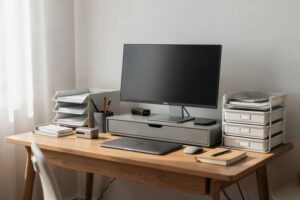
Picture the scene: you’ve built your IKEA ALEX desk, tucked it neatly into the corner of your home office, and balanced your monitor on its stock stand. The screen is too low, your neck aches by noon, and the stand is eating up exactly the space where you wanted your notebook and coffee. You search for a monitor arm, order the first reasonably priced one that arrives next day, clamp it onto the ALEX’s edge — and immediately notice two things. First, the clamp teeth are digging into the thin particleboard lip, threatening to crack it. Second, the arm itself wobbles every time you reach for your keyboard. Back it goes.
If that sounds familiar, you’re not alone. The IKEA ALEX desk is one of the most popular home-office setups in the UK, but it presents a specific challenge for monitor arms: its desktop is only around 18 mm thick at the edge, the material is honeycomb-core particleboard under a thin veneer, and the drawers on the right mean you’re usually clamping on the left side with limited depth. Not every arm handles these constraints well. This guide is built specifically around that setup — what to buy, what to avoid, and why.
How These Picks Were Evaluated
Every arm in this guide was assessed against a consistent set of criteria chosen specifically for the IKEA ALEX desk context. The most important factor was clamp design: how wide the jaws open (you need at least 50 mm to handle the ALEX’s recessed edge), how the pressure is distributed, and whether a grommet mounting option is offered as a safer alternative. Beyond that, weight capacity mattered — an arm rated for the monitor you actually own, with a meaningful margin. Gas-spring versus spring-tension mechanisms were compared for smoothness and long-term sag resistance. Cable management integration, VESA compatibility (75×75 and 100×100 are standard), build materials, and the balance between adjustability and everyday stability all fed into the final recommendations. Where review data was available, patterns across verified buyers were factored in. The result is a shortlist of eight arms covering every realistic use case — from single budget screens to dual ultrawide setups.
Best Budget Single Arm — ErGear Single Monitor Arm Desk Mount B0C7KPNP7T
The ErGear Single Monitor Arm Desk Mount is the first arm you should look at if you’re fitting a single 24-to-27-inch screen on an ALEX desk without wanting to spend heavily. It covers screens from 13 to 34 inches and ships with both a C-clamp and a grommet mount — and that dual-option approach is genuinely useful here, because the ALEX’s particleboard edge is not the sturdiest clamping surface. If your desk is near a wall and you can’t easily drill a grommet hole, the C-clamp works fine with a protective pad; if you can drill, the grommet route distributes load more evenly and removes the risk of edge damage entirely.
The arm uses a spring-tension pivot mechanism rather than a gas spring, which means initial setup requires a screwdriver to dial in the tension to match your monitor’s weight. Once set correctly for a screen in the 3–5 kg range, it holds position well through a normal working day. Tilt, swivel, and 360-degree rotation are all available, so you can go from landscape to portrait for reading or document work without removing and remounting anything. The overall range of motion is broad enough for most desk arrangements — pushing the screen back, pulling it forward, raising it to standing-desk height, or angling it away when a colleague joins a video call.
What you’re trading off at this price tier is the premium feel of the adjustment. Moving the arm requires a little more deliberate force than a gas-spring equivalent, and the plastic components on the pivot housing feel less robust than aluminium alternatives. For a screen that mostly stays in one position and gets repositioned occasionally rather than constantly, that’s a perfectly reasonable trade. Where it would struggle is a workflow that involves pulling the monitor close for detail work dozens of times a day — that level of frequent adjustment is better served by a gas-spring arm. Cable management is basic: a pair of routing clips rather than an enclosed channel, so tidy cable runs require a bit of your own organisation with clips or velcro ties.
The ALEX-specific point worth noting is clamp jaw depth. The ErGear’s C-clamp opens wide enough to cope with the ALEX’s relatively thin edge profile, and the included rubber pads protect the veneer surface. If you’re mounting on the left side of the desk to avoid the drawer unit, check that you have at least 60 mm of clear edge space from the front of the desk — the clamp needs that to grip without the rear jaw catching the drawer housing. For a first monitor arm at an accessible price point, this is a sensible, honest performer that won’t damage your desk if installed with basic care.
Best Quick-Install Pick — ErGear Single Monitor Arm B0FQM6QB48
The ErGear Single Monitor Arm with Tool-Free VESA Mounting addresses one of the most common frustrations with monitor arms: the installation process itself. Standard VESA mounting requires you to hold the monitor at an awkward angle while threading four bolts through the mount plate — with this arm, ErGear has redesigned the VESA connection so the monitor clicks into place without tools, saving both time and several moments of genuine stress. For anyone who has previously had to call someone else in just to hold the screen steady while they fumbled with a screwdriver, that change is meaningful.
Coverage runs from 13 to 34 inches, and the arm handles both flat and moderately curved screens. The mechanism is a spring-tension design, adjusted via a knob to match your screen weight before use. Because the VESA attachment is tool-free, you can also detach and reattach the monitor quickly if you need to take it somewhere or swap in a different screen — a practical advantage if you occasionally work in different rooms. Tilt and swivel are both available, and the rotation is smooth enough for portrait-mode use with a 24-inch display.
The tradeoff relative to the B0C7KPNP7T model is mainly in rated weight capacity. This arm is optimised for lighter screens — panels up to around 8 kg — so if you’re running a large 32-inch curved gaming monitor, it would be worth stepping up to a heavier-duty arm. For a 24 or 27-inch office monitor, it’s comfortably within spec. Build quality feels broadly similar to other arms in this price range: the main arm body is solid, the pivot points are secure once tension is set, and the cable management guides keep the HDMI or DisplayPort cable reasonably tidy without fully enclosing it.
On the ALEX specifically, the C-clamp opening is generous enough for the desk edge, and the rubber jaw pads are thick enough to prevent marking the veneer. One practical tip: if your ALEX desk sits against a wall, thread your monitor cable through the arm’s guides before you clamp the arm down, because access to the rear jaw becomes awkward once it’s fixed in place. The tool-free VESA system alone makes this arm worth considering for anyone who values straightforward setup — it genuinely removes one of the more frustrating steps in the process.
Best Gas-Spring Single Arm — BONTEC Single Arm Monitor Desk Mount B0CKPC6YM3
If you want the experience of effortlessly floating your monitor to any position with one hand, the BONTEC Single Arm Monitor Desk Mount is where the step up to gas-spring mechanism starts making sense. It covers screens from 13 to 32 inches, and the integrated gas spring means that once the counter-tension is adjusted to your monitor’s weight, the arm genuinely floats — lift it slightly and it rises, press it slightly and it drops, then holds exactly where you leave it. For a sit-stand workflow where you’re raising and lowering the screen multiple times a day, this is far more convenient than a spring-tension arm that requires deliberate repositioning.
BONTEC has built the arm with a 360-degree rotatable joint at the base, tilt adjustment at the head, and swivel across the full arm — meaning virtually any viewing angle is achievable. The cable management on this model is an enclosed channel running along the arm’s interior, which keeps DisplayPort, HDMI, or USB-C cables out of sight and results in a noticeably cleaner desk aesthetic than clip-based routing. The VESA compatibility covers both 75×75 and 100×100 mm patterns, which covers the vast majority of monitors sold in the UK.
The clamp on this arm has a broader jaw opening than many budget alternatives, which is directly relevant to the ALEX’s edge profile. The rubber pads are generous, and the clamp mechanism tightens without requiring excessive torque — important because over-tightening on honeycomb particleboard can cause internal collapse over time, which is both visually and structurally damaging to the desk surface. The grommet option is also included, and if you’re willing to drill a clean hole through the ALEX desktop, it’s the more secure long-term solution for a gas-spring arm, which generates more lateral load during adjustment than a static spring arm.
Where this arm has a limitation is maximum screen size: 32 inches is the ceiling, and it’s not designed for heavy curved gaming panels that push toward the upper end of that weight range. For a standard flat or slightly curved 27-inch office or productivity monitor, it’s excellent. The gas spring is the key differentiator from the ErGear options above — if your workflow involves frequent repositioning or you’re sharing the desk between sitting and standing heights, the BONTEC single arm earns its slightly higher position in the range through genuine daily-use convenience.
Best Heavy-Duty Gas-Spring Arm — BONTEC Single Monitor Arm Desk Mount B0FJD3TXG4
The BONTEC Single Monitor Arm Desk Mount for 15-34 Inch Flat or Curved Screens is the arm to consider when you have a larger, heavier curved panel — the kind of 32 or 34-inch ultrawide that a lighter gas-spring arm simply cannot counter-balance reliably. BONTEC rates this model at 12 kg capacity, which covers the heaviest monitors in mainstream use, including large curved gaming panels that can exceed 8 kg. With 329 verified ratings at 4.4 stars, it’s the most reviewed product in this guide, and that volume of real-world feedback is reassuring.
The gas spring on this arm is noticeably stiffer than the lighter BONTEC model, which is exactly what you need when balancing a heavier screen — a spring calibrated for a 4 kg monitor would sag under a 9 kg one. The arm covers screens from 15 to 34 inches, so it handles everything from a mid-size productivity monitor right up to a 34-inch ultrawide curved display. Tilt, swivel, and rotation are all available, and the construction uses a heavier aluminium alloy throughout the arm segments rather than the lighter-gauge materials found in budget arms.
For the IKEA ALEX desk, this arm demands a bit more consideration at the clamping stage. A 12 kg monitor generates significantly more leverage on the clamp than a 4 kg screen, and the thin particleboard edge of the ALEX is genuinely at risk if the clamp is not set up correctly. The grommet mounting option is strongly recommended with this arm if you’re fitting a heavy screen — it routes the load through the desk surface rather than pinching the edge, and the ALEX’s desktop is thick enough at the centre to support a grommet hole cleanly. If you must use the C-clamp, use the rubber pads, don’t overtighten, and consider adding a reinforcement plate beneath the desk to spread the load across more surface area.
Cable management is enclosed along the arm length, and the overall profile is clean and professional-looking. The arm extends and retracts enough to position a large curved monitor at genuine arm’s length — useful for 34-inch ultrawides where you want the screen further back than a standard stand allows. If your setup involves a high-end monitor and you want an arm that will hold it securely for years without sagging or requiring constant tension adjustment, this BONTEC heavy-duty arm is the most capable single-arm option in this guide.
Best Budget Dual Arm — BONTEC Dual Monitor Arm Desk Mount B01MR397OH
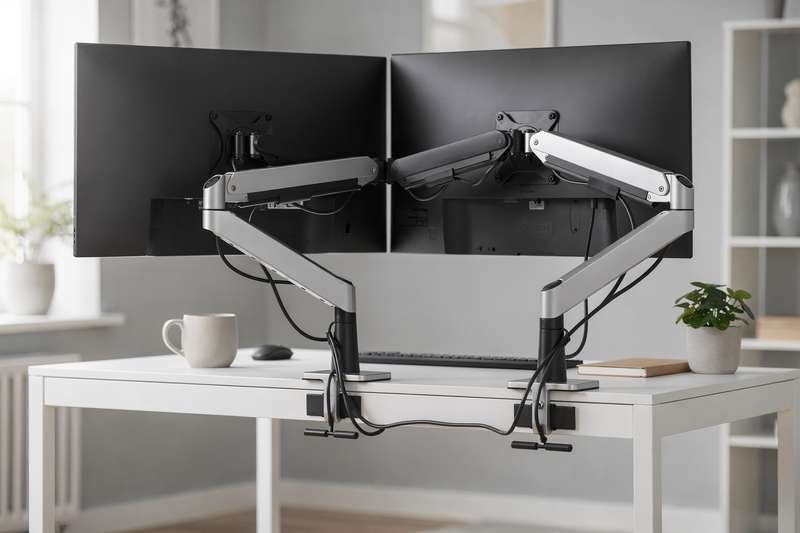
Running two monitors on an IKEA ALEX desk is entirely achievable, but it concentrates a lot of weight and leverage in one clamp — which makes choosing the right dual arm critical. The BONTEC Dual Monitor Arm Desk Mount for 13-27 Inch Computer Screens approaches this with a shared base clamp that distributes load across a wider jaw, and two independent arms that can be adjusted separately — each with full tilt, swivel, and 360-degree rotation. It’s designed for screens up to 27 inches on each arm, with VESA 75×75 and 100×100 support on both heads.
The value here is significant: getting two fully articulating arms for an accessible price is a real benefit for a dual-monitor home office setup. Each arm adjusts independently, so you can position the primary screen directly in front of you and angle the secondary screen at roughly 30 degrees to the side — the ergonomically recommended configuration for most workflows. The 360-degree rotation on each arm means either screen can go portrait if needed, useful for document editing or coding where a tall format is more efficient than widescreen.
The honest tradeoff is mechanism type: this is a spring-tension arm rather than gas-spring, and with two screens it requires careful tension setting for each arm independently. There is also the ALEX-specific clamping concern to address directly. A dual arm concentrates two monitors’ combined weight through a single base clamp, and that base clamp is applying force to the ALEX’s particleboard edge. BONTEC’s clamp jaw is well padded, but for a dual setup this is absolutely a case where either the grommet mounting option or a reinforcement plate is advisable rather than optional. The ALEX can handle it — but only if the installation is done thoughtfully.
Cable management uses routing guides on each arm rather than enclosed channels, which means some cable organisation effort on your part, but the overall result is tidy enough for a home office. If you’re coming from a pair of stock monitor stands and want to reclaim desk space while staying within a sensible budget, this dual arm delivers a meaningful ergonomic and aesthetic upgrade without requiring a premium investment.
Best Mid-Range Dual Arm — HUANUO Dual Monitor Stand B07ZNGT8K4
The HUANUO Dual Monitor Stand for 13 to 32 Inch Screens steps up from the BONTEC dual arm in two important ways: it handles larger screens (up to 32 inches on each arm rather than 27), and it’s designed to support curved as well as flat panels — a meaningful distinction if you’re running a pair of curved gaming monitors or mixing a flat primary with a curved secondary. The 4.6-star rating places it among the highest-rated arms in this guide, and the design has clearly benefited from iteration.
Each arm is independent and fully adjustable — height, tilt, swivel, and rotation are all covered. The base is a single clamp that secures to the desk edge, with both C-clamp and grommet options available. The arms themselves have a clean aesthetic that works well with a tidy desk setup, and the cable guides along each arm keep monitor cables off the desk surface. For a dual-monitor ALEX desk setup, the visual improvement over two stock stands is dramatic — the desk suddenly feels twice as large.
HUANUO has designed this arm for a broader weight range than many dual arms at this tier, and it handles a pair of 27-inch curved screens confidently. At the 32-inch end of the range with heavier curved panels, the arms can require more frequent tension adjustment to prevent slow drift — worth knowing if you’re fitting very large screens. For the more common scenario of two 24 or 27-inch screens, it holds position reliably through a full working day.
On the ALEX desk, the combined weight of two 27-inch screens and the arm itself is non-trivial. The grommet mounting option is the safer choice here, and the HUANUO’s grommet plate is well-engineered — it seats cleanly against the desk surface and doesn’t rock or shift under load. If you’re in a rental flat and can’t drill the desk, the C-clamp with a reinforcement plate underneath is the next best option. The HUANUO dual arm represents a genuine mid-range sweet spot: larger screen compatibility than budget alternatives, better build quality than the entry-level dual options, without crossing into premium territory.
Best Single Arm for Ergonomic Adjustments — HUANUO Single Monitor Arm Desk Mount B07T3KCQ94
The HUANUO Single Monitor Arm Desk Mount for 13 to 32 Inch Screens has made tool-free height adjustment its central feature, and for anyone who shares a desk or moves between tasks that benefit from different screen heights, this is a genuinely useful distinction. Adjusting height on most spring-tension arms requires a screwdriver to loosen a bolt, move the arm, and retighten. The HUANUO allows height repositioning without tools — you release, move, and lock again by hand. That sounds like a small thing until you’ve done it a dozen times in a week.
The arm covers 13 to 32-inch screens, supports both 75×75 and 100×100 VESA patterns, and offers the full suite of adjustments — tilt, swivel, and rotation — at the monitor head. Build quality at this price point is solid without being exceptional: the main arm body is rigid and doesn’t flex under a typical 5–7 kg monitor, and the pivot joints move smoothly once tension is correctly set. The 4.5-star rating reflects a product that delivers on its core promise reliably.
Where the HUANUO single arm earns its place alongside the BONTEC gas-spring option is specifically in the tool-free adjustment feature. If you’re not after a gas-spring arm but you do want flexibility without the friction of tool-based adjustment, this sits neatly between the basic spring-tension arms and the more expensive gas-spring models. It’s not the arm for someone who repositions their screen constantly throughout the day — for that, a gas-spring is still more convenient — but for daily height tweaks between sit and stand working, it’s notably better than a standard spring-tension arm.
Cable management is handled by a clip system along the arm, and the overall cable routing is straightforward. The C-clamp and grommet options are both included, and the clamp jaw accommodates the ALEX’s edge thickness comfortably. If you’re setting up a single-monitor home office that involves occasional ergonomic adjustments and you want the simplicity of tool-free repositioning without the cost of a gas-spring arm, the HUANUO single arm is worth serious consideration. It occupies a specific and useful niche in the range.
Best Premium Stable Arm — Invision Monitor Arm Desk Mount B09963RQ6Y
The Invision Monitor Arm Desk Mount for 19-32 Inch Screens approaches the monitor arm problem from a slightly different angle: rather than maximising articulation range, it prioritises stability, minimal footprint, and a refined adjustment experience for screens in the 19-to-32-inch range. The 4.6-star rating is the joint highest in this guide, and Invision is a UK brand with strong customer service presence — a meaningful practical advantage if anything goes wrong after purchase.
The mechanism is a gas-spring design, which means effortless repositioning with one hand. Tool-free height adjustment is built in, the tilt range is generous at the monitor head, and the swivel covers the angles you’d need for sharing content with someone sitting alongside you. What distinguishes the Invision arm from the other gas-spring options in this guide is the overall build refinement — the pivot points feel damped and smooth rather than springing to position, and the arm segments are made from a heavier aluminium alloy that communicates quality when you handle it.
The clamp design is particularly relevant for the ALEX desk. Invision has designed the clamp jaw with broader rubber pads and a geometry that spreads clamping force across more surface area than narrower competitors — this is directly safer for the ALEX’s thin veneer edge. The grommet option is also available and well-engineered. The VESA compatibility covers 75×75 and 100×100 mm, with tool-free VESA attachment at the monitor head making screen swaps simple.
The honest limitation is screen size range: the lower bound of 19 inches means it’s not useful for small screens, and while it handles 32-inch screens well, it isn’t rated for the heavier ultrawide curved panels that the BONTEC B0FJD3TXG4 handles at 12 kg. For a 27-inch IPS or VA office monitor — which describes the majority of home-office setups in the UK — this is the most polished single-arm option in the guide. If you want to invest in something that will last, adjust beautifully, and look considered on your desk, the Invision arm is where the guide’s premium recommendation sits.
What to Look For When Buying a Monitor Arm for an IKEA ALEX Desk
- Clamp jaw width and padding: The ALEX desktop is approximately 18 mm thick at the edge. You need a clamp that opens to at least 50 mm (most do), but more importantly, you need generous rubber padding on both jaws to avoid crushing the veneer. Some cheaper arms have thin plastic pads that leave marks within weeks.
- Grommet versus C-clamp: The C-clamp is easier to install and reversible, but it applies pinching force to a particleboard edge that can compress and fail over time. The grommet mount routes load through the desk surface itself and is the more secure long-term option. If you own rather than rent and don’t mind a small hole, use the grommet.
- Weight capacity with margin: Always check your monitor’s actual weight (found in the spec sheet or box) and choose an arm rated at least 20% above that. A 7 kg monitor on an arm rated for exactly 7 kg will sag over time as the spring tension fatigues. Gas springs are generally more consistent over time than mechanical spring-tension arms.
- VESA compatibility: The vast majority of monitors use 75×75 or 100×100 mm VESA patterns. All arms in this guide support both. If you have an older or budget monitor, check the back panel before purchasing — a small number of budget screens use proprietary stands without VESA mounting points at all.
- Gas spring versus spring tension: Gas springs adjust with minimal effort and hold position reliably; spring-tension arms require tool-based adjustment and can drift if the tension isn’t perfectly calibrated. For frequent repositioning or a sit-stand workflow, gas spring is worth the premium. For a screen that mostly stays put, spring tension is adequate.
- Arm extension and reach: The ALEX desk is 75 cm deep. Make sure the arm you choose can push the screen to at least 60 cm from your eye position. Most arms in this guide have sufficient extension for a standard desk depth, but check the stated maximum reach in the product specs if you have a particularly deep or shallow desk variant.
- Cable management quality: An enclosed cable channel keeps your setup tidy without effort; clip-based routing requires additional cable management accessories. If aesthetics matter to your setup, pay attention to this — it’s one of the underrated differences between budget and mid-range arms.
Verdict
For most people setting up a single monitor on an IKEA ALEX desk, the BONTEC Single Arm Monitor Desk Mount (B0CKPC6YM3) is the clearest overall recommendation. The gas-spring mechanism is the feature that makes the most practical difference in daily use — repositioning a screen should take one hand and one second, and this arm delivers exactly that. The enclosed cable management keeps the desk tidy without extra effort, the clamp is well-padded and ALEX-safe, and 32-inch coverage handles the monitors most UK home office workers are actually using.
If you’re on a tighter budget and your screen stays in one position most of the day, the ErGear Single Monitor Arm Desk Mount (B0C7KPNP7T) is the entry-level pick — honest, functional, and unlikely to damage your desk if installed carefully. For dual screens, the HUANUO Dual Monitor Stand handles larger curved panels and has the build quality to do it reliably. And if you want the most refined single-arm experience with the best long-term build quality, the Invision Monitor Arm is the premium choice that justifies its position at the top of the range. Match the arm to your screen size, use the grommet mount where possible, and your ALEX desk will support your monitor safely for years.
We were not paid to feature any specific product in this guide. All opinions are independent and based on publicly available specifications, verified buyer feedback patterns, and category research.
Quick Comparison Table


FAQ
Will a monitor arm damage my IKEA ALEX desk?
It can, if installed incorrectly. The ALEX desktop is particleboard with a thin veneer edge, and over-tightening a C-clamp can compress and crack this material over time. Use the rubber pads provided, don’t overtighten, and consider the grommet mounting option for heavier arms or larger screens — it distributes the load more safely through the desk surface rather than pinching the edge.
What thickness is the IKEA ALEX desktop?
The ALEX desktop is approximately 18 mm thick at the edge where you’d typically clamp a monitor arm. Most monitor arms open to at least 50 mm, so the thickness itself isn’t a constraint — but the thin particleboard construction means clamping force needs to be moderated. Always confirm your specific ALEX variant, as IKEA occasionally updates desk specifications.
Can I use a dual monitor arm on an IKEA ALEX desk?
Yes, but with extra care. A dual arm concentrates significantly more weight through a single clamp point, and the ALEX’s edge can be vulnerable to this. Use the grommet mounting option if possible, or add a reinforcement plate beneath the desk to spread the load. Keep the combined monitor weight within the arm’s stated capacity, and check the clamp regularly during the first few weeks.
Do I need VESA mounting holes on my monitor?
Yes — all monitor arms require VESA-compatible mounting holes on the back of the screen. The standard patterns are 75×75 mm and 100×100 mm, and virtually all monitors sold in the UK include one of these. Check your monitor’s manual or the rear panel before purchasing. A small number of budget monitors use proprietary stands without VESA holes and cannot be mounted on any standard arm.
What is the difference between a gas-spring and a spring-tension monitor arm?
A gas-spring arm uses a pressurised cylinder to counterbalance the monitor’s weight, allowing effortless one-hand repositioning without tools. A spring-tension arm uses a mechanical spring adjusted by a screw to achieve the same balance — it’s effective, but requires a screwdriver to change height and can drift if not precisely calibrated. Gas-spring arms are more convenient for frequent adjustments; spring-tension arms are adequate if your screen mostly stays in one place.
Can I mount an ultrawide curved monitor on these arms?
Some of them, yes. The BONTEC B0FJD3TXG4 is rated to 12 kg and explicitly designed for flat and curved screens up to 34 inches, making it the strongest choice for a heavy ultrawide. The HUANUO dual arm handles curved panels up to 32 inches on each arm. Standard single arms rated for 8 kg or less are not suitable for large, heavy curved ultrawides — check the arm’s weight capacity against your specific monitor’s published weight before ordering.